22 Network configuration
devolo dLAN 200 AV Wireless N
4.4.1 Security
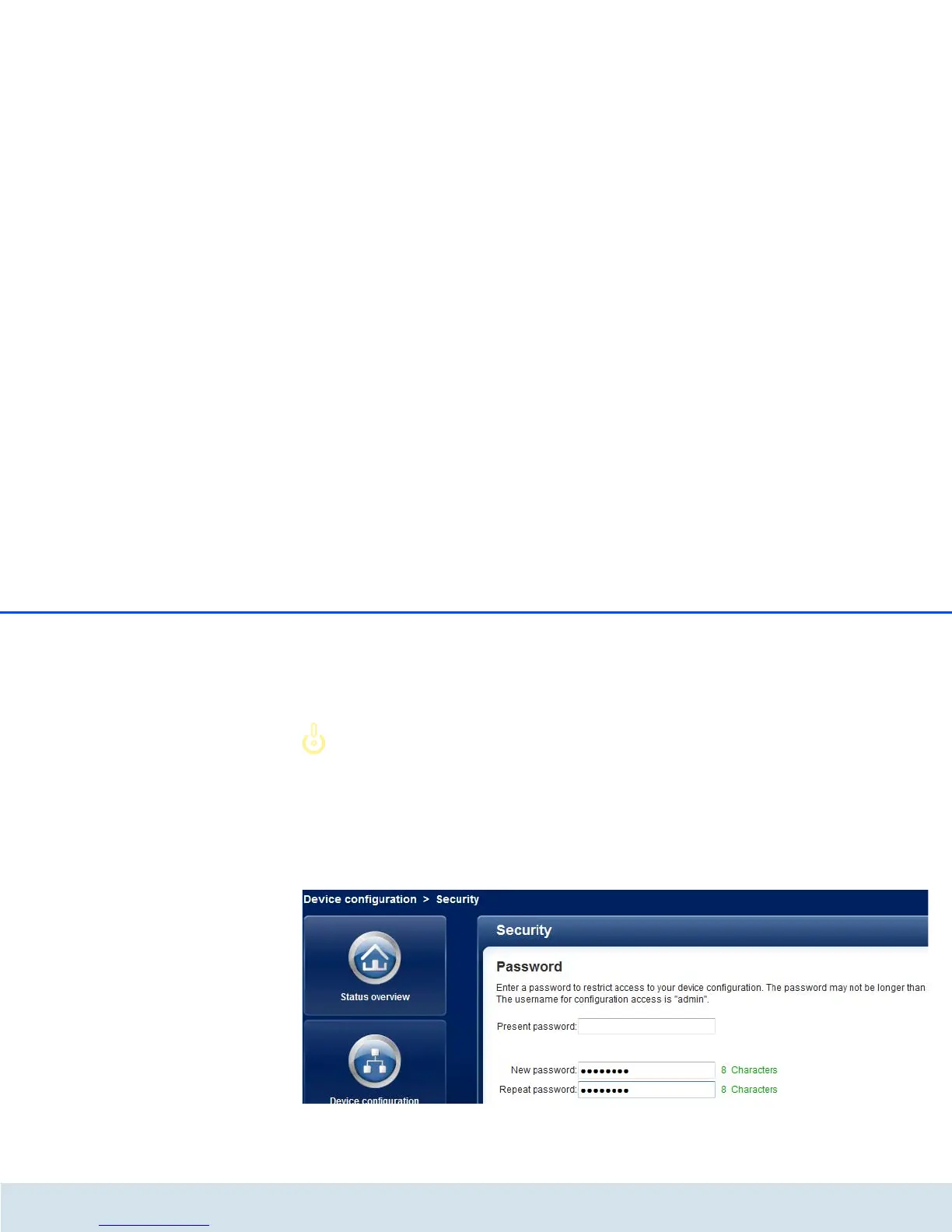
In this area you can set a login password for access to
the configuration interface of the
dLAN200AVWirelessN.
By default, the built-in configuration
interface of the
dLAN 200 AV Wireless N is not pro-
tected with a password. After install-
ing the dLAN 200 AV Wireless N,
however, you should enable this pro-
tection by assigning a password to prevent
access by a third party.
To do so, first enter (if present) the current password
and then enter the desired new password twice. Now
the configuration interface is protected against unau-
thorised access with your individual password!














 To Next Page