26 Network configuration
devolo dLAN 200 AV Wireless N
4.4.4 Time server
A time server is a server on the Internet whose task
consists of providing the exact time. Most time servers
are coupled with a radio clock.
To see which Internet time server your com-
puter uses to communicate, simply click the
clock in the lower right corner of the screen
and select the Internet time tab.
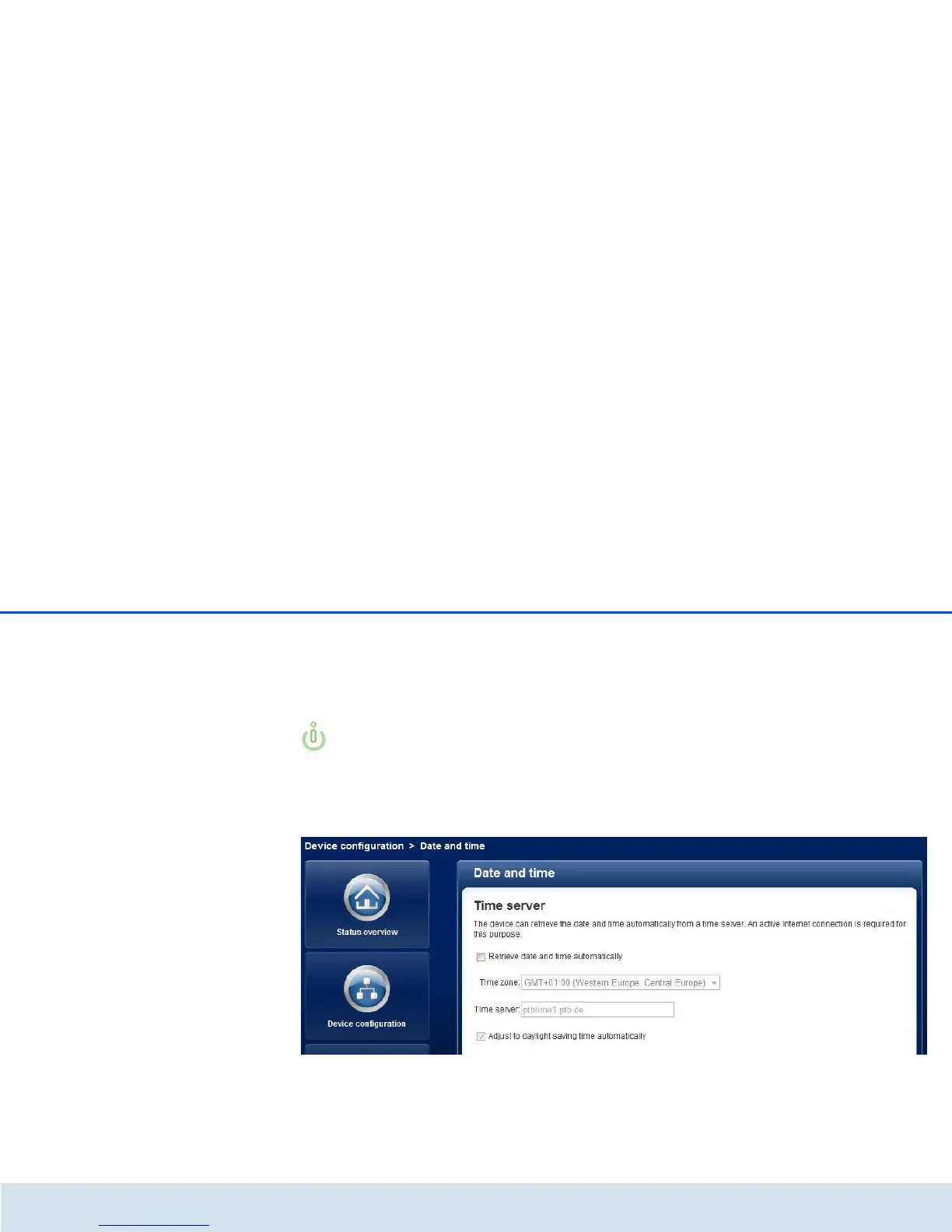
Enable the option Retrieve date and time automati-
cally, so that the dLAN 200 AV Wireless N can auto-
matically synchronise the date and time. Select your
Time zone and the Time server. If you have enabled
the option Adjust to daylight saving time automat-
ically, the dLAN 200 AV Wireless N automatically ad-
justs to daylight saving time.














 To Next Page