24 Network configuration
devolo dLAN 200 AV Wireless N
4.4.2 Network settings
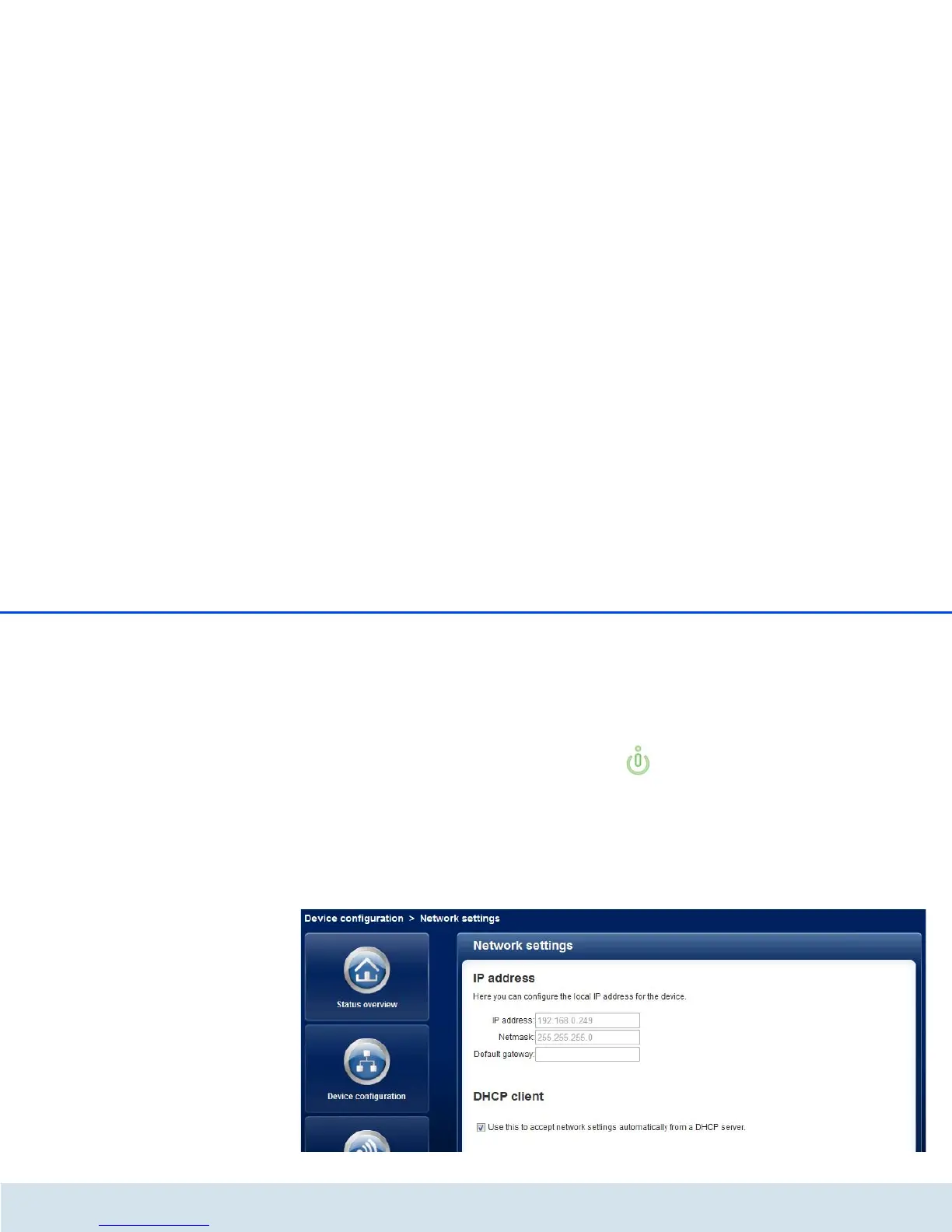
The dLAN200AVWirelessN also communicates via
the TCP/IP protocol as a component of your home net-
work. The IP address required for this can either be en-
tered manually as a static address or obtained
automatically from a DHCP server.
The option Use this to accept network settings au-
tomatically from a DHCP server is enabled in the fac-
tory defaults.
If a DHCP server is already present in the network for
giving out IP addresses, have the option Use this to
accept network settings automatically from a
DHCP server enabled so that the
dLAN200AVWirelessN automatically receives an ad-
dress from it.
You can also assign a static IP address by making en-
tries under IP address (e.g. '192.168.0.250') and Net-
mask (e.g. 255.255.255.0).
If you ever forget the IP address of your
dLAN 200 AV Wireless N, open the
dLAN Cockpit to find the device in the net-
work. Proceed as described under 4.1 Calling
up the built-in configuration interface.














 To Next Page