14 Initial use
devolo dLAN 500 AVpro UNI
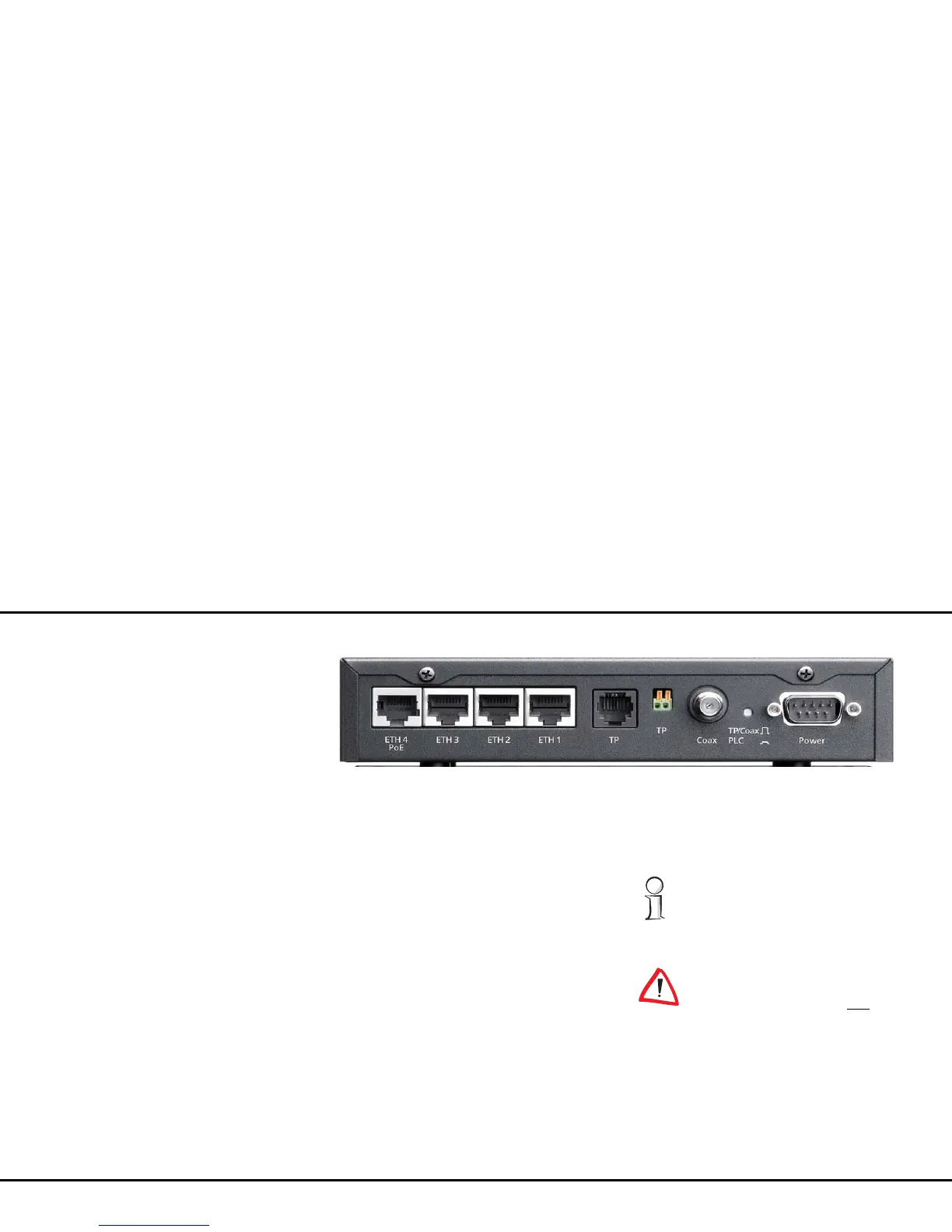
3.3.2 Ports
On the back of the dLAN 500 AVpro UNI there are
eight ports:
Four RJ45 Gigabit Ethernet jacks 'ETH1' to 'ETH4'
of the Ethernet switches. The 'ETH4' port supports
PoE in accordance with IEEE 802.3af, class '0'.
Connect the terminal devices to these jacks, which
send or receive data via dLAN by means of the
dLAN 500 AVpro UNI. 'ETH1' to 'ETH4' are auto-
MDI(X) interfaces, which automatically detect the
pin assignment and transfer rate of the connected
terminal device and adapt accordingly.
An RJ11 jack 'TP' for connecting to a two-wire
line,
If your dLAN is implemented via the telephone
wiring, connect the RJ11 plug connector here.
A two-pin spring terminal 'TP' for connecting a
non-terminated two-wire line (
Twisted Pair
)
If your telephone wiring does not have an RJ11
plug connector, you can also connect the tele-
phone cable here.
A coax F-jack for connecting to TV/SAT networks.
If the dLAN is implemented via your TV coax cab-
Fig. 5: Ports
When using telephone lines or two-wire
cabling for dLAN, distances of up to 600
m (1968.5 ft) can be bridged.
Simultaneous connection of two-
wire lines and the coax line to the
dLAN 500 AVpro UNI is not
permit-
ted!















 To Next Page