Setting Up Receiver
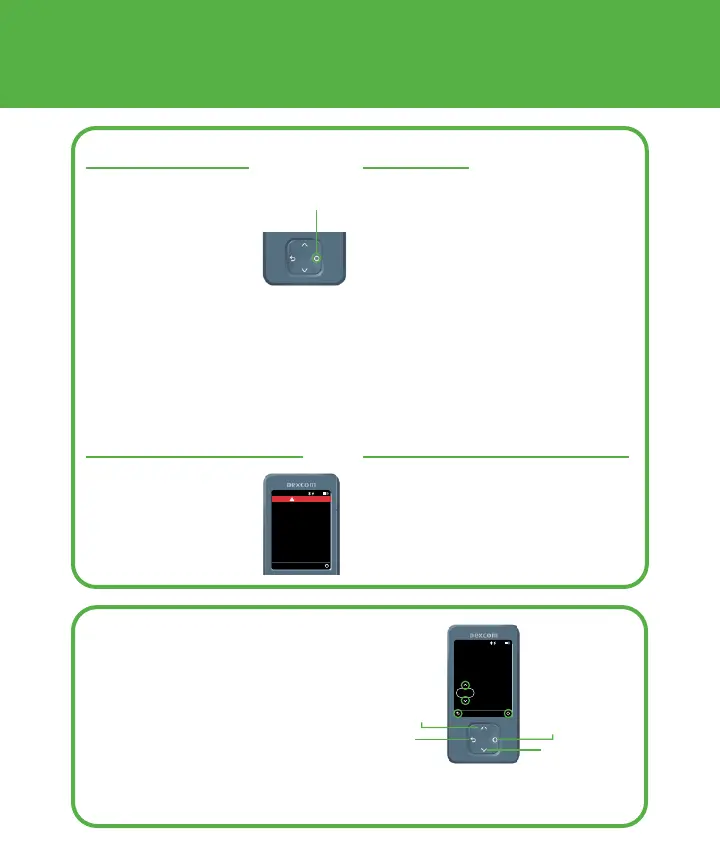
Receiver Navigation
The receiver screen tells you
which button to use.
• To scroll faster hold down
the Scroll button
• To move to the next field use
the Select button
Save
30
Back
Enter the carbs for the meal.
10:30 AM
Meals
50%
grams
Scroll up
Select
1. Get Started
Press Select button
for 3-5 seconds to
turn on receiver
Select
3. Sensor Warmup
Sensor warmup
timer tells you when
you’ll start getting
readings and alerts.
Menu
10:30 AM 50%
Your sensor is now warming
up. No sensor readings or
alerts until warmup is done.
Sensor Warmup
remaining
No Alerts
27:00
2. Set Up
• Follow instructions on receiver
screens to set up receiver
• For instructions on inserting
the sensor, go to Inserting
Sensor instructions in sensor
box
• After inserting and pairing the
sensor, throw out applicator
following local guidelines
4. Your Sensor Session
Go to the G7 User Guide to find out
more.



 To Next Page