-16
Dexin Digital Technology Corp. Ltd Page 5 / 26
NDS3536S Encoder Modulator ISDB-T User Manual
Chapter 2 Installation Guide
This section is to explain the cautions the users must know in some case that possible
injure may bring to users when it’s used or installed. For this reason, please read all
details here and make in mind before installing or using the product.
2.1 General Precautions
Must be operated and maintained free of dust or dirty.
The cover should be securely fastened, do not open the cover of the products when the
power is on.
After use, securely stow away all loose cables, external antenna, and others.
2.2 Power precautions
When you connect the power source, make sure if it may cause overload.
Avoid operating on a wet floor in the open. Make sure the extension cable is in good
condition
Make sure the power switch is off before you start to install the device
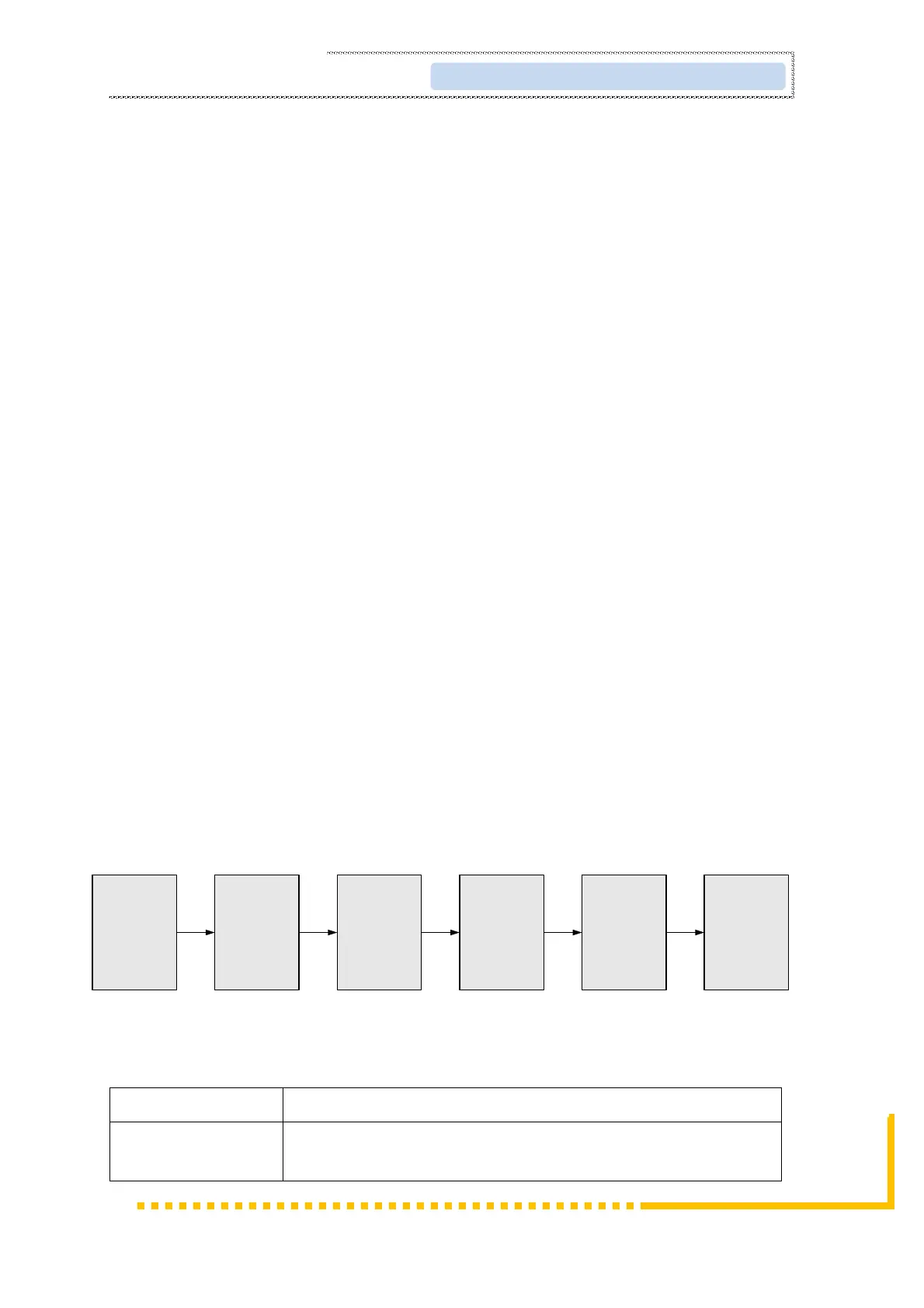
2.3 Device’s Installation Flow Chart Illustrated as following
Connecting
Grouding
Wire and
Power
Cord
Acquisition
Check
Installing
Device
Setting
Parameter
Running
Device
Connecting
Signal
cable
2.4 Environment Requirement
When user installs machine frame array in one machine hall,
the distance between 2 rows of machine frames should be



 To Next Page