NDS3306I 6 in 1 ISDB-T Modulator User Manual
Chapter 3 Installation Guide
3.1 Acquisition Check
When user opens the package of the device, it is necessary to check items according to
packing list. Normally it should include the following items:
NDS3306I 6 in 1 ISDB-T Modulator
User’s Manual
Power Cord
If any item is missing or mismatching with the list above, please contact local dealer.
3.2 Installation Preparation
When users install device, please follow the below steps. The details of installation will be
described at the rest part of this chapter. Users can also refer rear panel chart during the
installation.
The main steps of the installation include:
Checking the possible device missing or damage during the transportation
Preparing relevant environment for installation
Installing NDS3306I 6 in 1 ISDB-T Modulator
Connecting signal cables
Connecting communication port (if it is necessary)
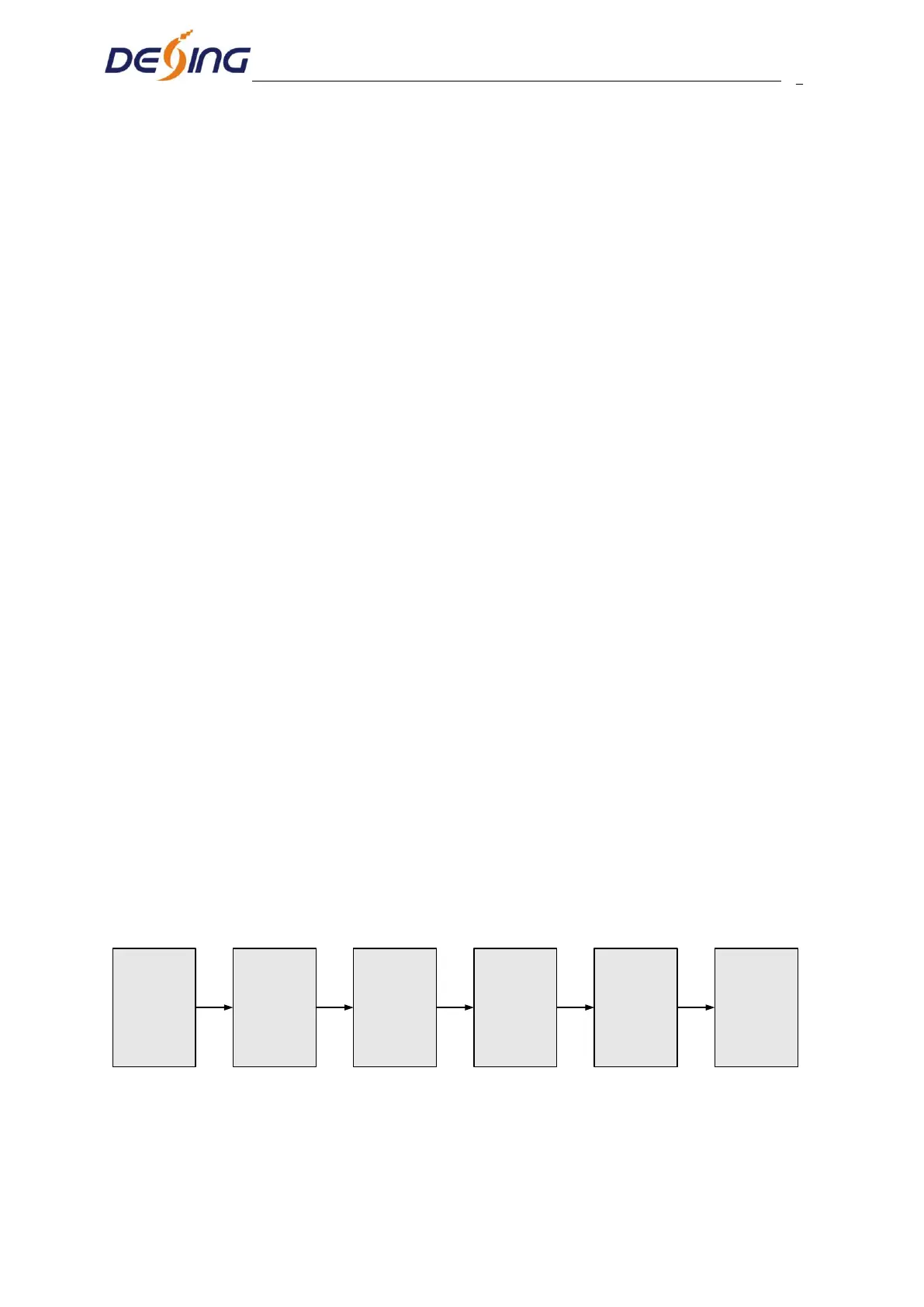
3.2.1 Device’s Installation Flow Chart Illustrated as follows:
Connecting
Grouding
Wire and
Power
Cord
Acquisition
Check
Fixing
Device
Setting
Parameter
Running
Device
Connecting
Signal Wire
3.2.2 Environment Requirement


 To Next Page