
 Need help?
Do you have a question about the Dexing NDS3306I and is the answer not in the manual?
Specifies the target users and required prior knowledge for the manual.
Legal notice on document reproduction and liability for errors or damages.
Information regarding confidentiality and restrictions on copying, modifying, or translating the document.
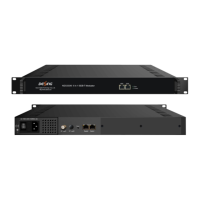
Provides a general description of the NDS33061 6 in 1 ISDB-T Modulator.
Lists the main technical features and capabilities of the ISDB-T modulator.
Illustrates the internal architecture and data flow of the device.
Details the components and indicators on the front panel of the modulator.
Describes the ports and connectors located on the rear panel of the modulator.
Instructions for verifying the contents of the product package upon receipt.
Outlines the essential steps and considerations before installing the ISDB-T modulator.
Specifies the necessary grounding procedures for device reliability and safety.
Details the grounding connections required for the machine frames.
Explains how to properly ground the device itself to the frame.
Guides on connecting power cords and signal/NMS cables to the device.
Steps to access the web management interface.
Overview of operating the modulator via Web NMS.
Checking input and output status through the monitor interface.
Viewing the current input status of Data1 and Data2.
Viewing the current output status of carriers and IPs.
Configuring device parameters like TS, Modulator, and IP Stream.
Interface for configuring Transport Stream parameters.
Selecting and configuring specific output TS channels.
Choosing programs for multiplexing into output streams.
Explains buttons for configuring input/output areas and program modification.
Modifying program information like service name and PIDs.
Setting general parameters for output channels in TS Config.
Configuring PID bypass to pass specific PIDs.
Configuring RF output parameters and carrier settings.
Applying RF settings to all channels simultaneously.
Configuring RF settings for individual channels.
Configuring IP stream output parameters for MPTS format.
Setting MPTS configuration for all channels at once.
Configuring MPTS settings for individual channels.
Configuring network parameters like IP address and gateway.
Changing login username and password for web NMS.
Saving and restoring device configurations.
Steps to update the device firmware.
Setting device date, time, timezone, and NTP servers.
Navigating to the screen for viewing system logs.
Actions to prevent hazards and ensure proper operation.
Situations requiring the power cord to be unplugged.
 General
| MER | ≥40dB |
|---|---|
| Weight | 3.5kg |
| Output | 1x RF output |
| Constellation | QPSK |
| Bandwidth | 6/7/8 MHz |
| Output Frequency Range | 30 MHz ~ 960 MHz |
| Modulation | DVB-C |
| Power Supply | AC 100~240V, 50/60Hz |
| Operating Temperature | 0°C ~ +45°C |
| Humidity | 10% ~ 90% non-condensing |
| Dimensions | 482mm x 44mm |
| Storage Temperature | -20°C ~ +60°C |

 To Next Page
