NDS3306I 6 in 1 ISDB-T Modulator User Manual
When users click “Channel Config” button, it triggers a dialog box where users can set
corresponding MPTS channel configration.
4.2.4 System
System → Network:
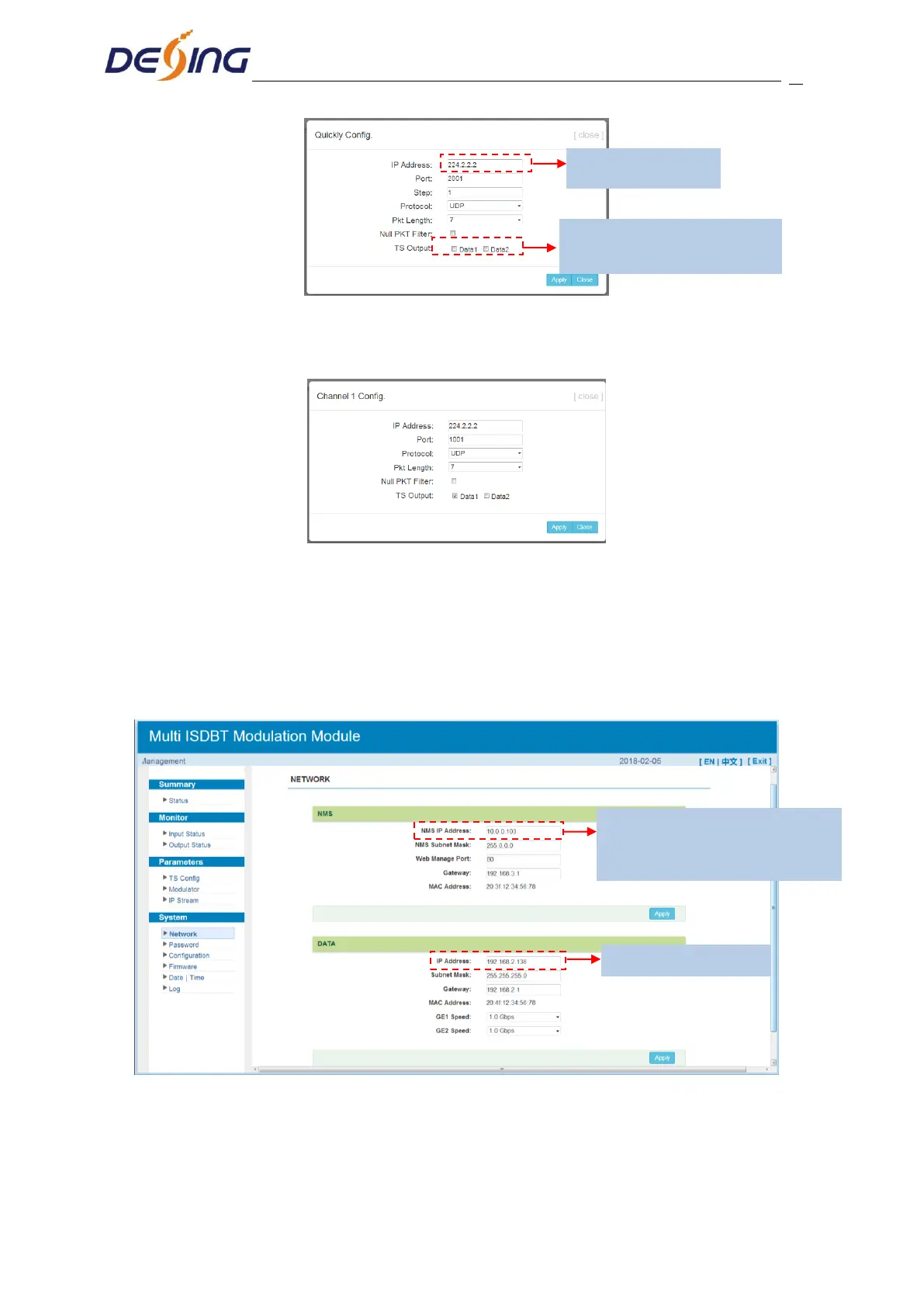
Clicking ‘Network’, it will display the interface as Figure-14 where to set network
parameters.
Figure-14
System → Password:
Clicking “Password”, it will display the screen as Figure-15 where to set the login account
and password for the web NMS.
Click to enable the status and select
TS out thru Data 1 or Data 2
Set NMS IP address and login to
management device. The default IP
address is 192.168.0.136


 To Next Page