EasyManua.ls Logo

Deyi TC-8200 - User Manual

Deyi TC-8200
8 pages
Print Icon
To Next Page IconTo Next Page
Loading...
Dust Particle Counter Manual
Overview
Safety and maintenance
Appearance structure description
Button function description
Operation description
Power on or off
Counting and weighing mode conversion
Temperature unit conversion
Record data interval time setting
History query
Parameter setting:
1. backlight setting
2. clear records
3. time modification
4. shutdown settings
5. recording interval
6. language selection
7. factory settings
8. Technical specifications
9. Common problem analysis
Overview:
This product adopts the principle of laser scattering, can detect the number and quality of
0.3um, 0.5um, 1.0um, 2.5um, 5.0um, 10um particle size dust, the detection of clean room and
below clean room levels, temperature, humidity and AQI Grade detector.
It has 999 groups of data records, can view the data curve, with 3.2-inch TFT full-color display,
automatic measurement, real-time date and time, rechargeable lithium battery or separate
external USB power supply, stable data, etc.
Applied to:
Class 100 clean room and below clean room inspection
Industrial production of electronics, optics, chemicals, food, medicine and health, biological
products, aerospace, etc.
Filter seal inspection
Particle pollution source detection
Question and Answer IconNeed help?

Do you have a question about the Deyi TC-8200 and is the answer not in the manual?

Summary

Overview of the Dust Particle Counter

Product Overview and Capabilities

Details the laser scattering principle, detected particle sizes (0.3-10um), and environmental sensors.

Applications and Use Cases

Lists industries and inspection types where the product is used, like clean rooms and aerospace.

Safety and Maintenance Guidelines

Usage and Storage Precautions

Advises against dusty/corrosive environments, high temps, and recommends gentle cleaning.

Device Structure and Components

Component Identification

Identifies key parts of the device, including screen, buttons, USB, and sensors.

Button Functions - Basic Controls

Power, OK, and Mode Button Operations

Details the operational use of Power/Off, OK, and Mode buttons for device navigation.

Button Functions - Advanced Controls

Setting, Alarm, Temp, Trend, and Sound Buttons

Describes functions of Setting, Alarm, Temp Unit, Trend, and Sound Alarm buttons.

Operation Description - Core Functions

Powering On;Off and Mode Switching

Covers powering the device on/off and switching between measurement modes (ug/m3 or Piece/L).

Record Data Interval Time Setting

Guides on setting the time interval for automatic data recording.

Operation Description - Parameter Settings

History Query and Parameter Access

Explains how to query historical data and access parameter settings.

Backlight and Data Clearing

Details adjusting backlight brightness and clearing recorded data.

Operation Description - System Settings

Time, Shutdown, and Interval Settings

Covers setting time, auto-shutdown intervals, and recording intervals.

Language and Factory Reset

Explains changing language and restoring factory default settings.

Technical Specifications

Performance and Measurement Specifications

Lists particle detection range, PM2.5, flow, response time, and environmental ranges.

Device Hardware and Power Specifications

Details power, battery, data storage, weight, and physical dimensions.

Common Problem Analysis and Solutions

Troubleshooting: No Data Display

Addresses lack of data, typically caused by low battery power.

Troubleshooting: Device Not Booting

Offers solutions for the device failing to power on, checking battery and power.

Overview

Dust Particle Counter Manual

Function Description

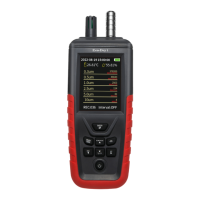
This device is a dust particle counter that utilizes laser scattering principles to detect the number and quality of dust particles of various sizes: 0.3µm, 0.5µm, 1.0µm, 2.5µm, 5.0µm, and 10µm. It is designed for inspecting clean rooms (Class 100 and below), as well as detecting temperature, humidity, and AQI Grade.

The counter is applicable in various fields, including:

  • Inspection of Class 100 clean rooms and below.
  • Industrial production environments for electronics, optics, chemicals, food, medicine and health, biological products, and aerospace.
  • Filter seal inspection.
  • Particle pollution source detection.

Important Technical Specifications

Particle Detection:

  • Particle detection range: 0.3~10µm
  • Six-channel particle size: 0.3, 0.5, 1.0, 2.5, 5.0, 10µm
  • PM2.5 Range: 0~1000µg/m³
  • PM2.5 Precision: 0~100µg/m³: ±10µg/m³; 100~1000µg/m³: ±10%
  • Concentration resolution: 1µg/m³
  • Number of particles output range: ≤ 2000000 Granule/L
  • Flow: 1 liter/min (2.83L=1L*2.83)
  • Cleanliness standard: Meets ISO 14644-1 ISO5 level-ISO9 level
  • Response time: 1 second
  • Boot stabilization time: 10 seconds

Environmental Measurement:

  • Temperature measurement range: -10~60°C
  • Temperature accuracy: ±2°C
  • Temperature resolution: 0.01°C
  • Humidity measurement range: 0~100% RH
  • Humidity accuracy: ±3% RH
  • Humidity resolution: 0.01% RH

General Specifications:

  • Power supply: 3.7V Removable 18650 lithium battery
  • Charging voltage: 5V/USB
  • Length of work: 2000mAh (Can work continuously ≥9 hours)
  • Data record: 999 groups
  • Weight: 320g
  • Size: 2228046mm

Usage Features

Display and Interface:

  • Equipped with a 3.2-inch TFT full-color display for clear data visualization.
  • Displays real-time date and time.
  • Allows viewing of data curves.

Operation Modes:

  • Counting and weighing mode conversion: Easily switch between µg/m³ and Piece/L modes using the "MODE" button.
  • Temperature unit conversion: Switch between °C and °F using the "°C/°F" button.

Data Management:

  • Record data interval time setting: Users can set the interval for data recording.
    1. During automatic measurement, press "SET" twice to enter the function parameter interface.
    2. Press "ENTER" to confirm modification.
    3. Use "°C/°F" to select "[recording interval]".
    4. Press "MODE" or "SET" to enter time selection.
    5. Use "ALARM VALUE" or "°C/°F" to select the desired interval time.
    6. After selection, press "ENTER" twice, then "SET" to return to the main interface.
  • History query:
    1. Press "SET" once, then "ENTER" to go to "".
    2. Use "ALARM VALUE" or "°C/°F" to scroll through record pages.
  • Data clear: Access the data clearing menu via the "MODE" button and confirm with "SET".
  • Time setting: Enter the time setting menu via "MODE" and "SET". Use "ALARM VALUE" or "°C/°F" to shift, "ENTER" to modify and confirm, and "SET" to exit.

Parameter Settings:

  • Backlight setting: Press "MODE" and "SET" to switch brightness between 25%, 50%, 75%, and 100%.
  • Alarm value setting: Short press "ALARM VALUE" to enter and increase the alarm value.
  • Auto shutdown: Select OFF, 15, 30, 45 minutes, 1, 2, 4, or 8 hours using "MODE" and "SET".
  • Language settings: Switch between Chinese and English using "MODE" and "SET".
  • Factory settings: Restore original factory parameters via "MODE" and "SET", confirm with "MODE" and "SET" again, and exit with "SET".

Power and Charging:

  • Rechargeable lithium battery (3.7V Removable 18650).
  • Can be powered by an external USB power supply (5V/USB).

Maintenance Features

General Maintenance:

  • Cleaning: Use a soft cloth and neutral detergent to clean the case. Avoid abrasives and solutions to prevent corrosion and damage.
  • Battery management:
    • Charge the battery promptly when the icon is empty or red.
    • Remove the battery if the instrument is not used for a long time.
    • If the device doesn't boot, check if the battery is dead or damaged. Use the USB port for power. If the power grid icon changes, the battery is dead. If only the OK icon is displayed, there is no change.

Environmental Considerations:

  • Operating environment: Do not use the instrument in dusty or corrosive gas environments to prolong its life.
  • Storage environment: Avoid storing or using the meter in high temperature, high humidity, flammable, explosive, and strong electromagnetic field environments.

Troubleshooting (Common Problems):

  • No data displayed: This may indicate that the battery power is too low to start the sensor.
  • Device doesn't boot: Refer to battery management instructions above.

Deyi TC-8200 Specifications

General IconGeneral
BrandDeyi
ModelTC-8200
CategoryMeasuring Instruments
LanguageEnglish