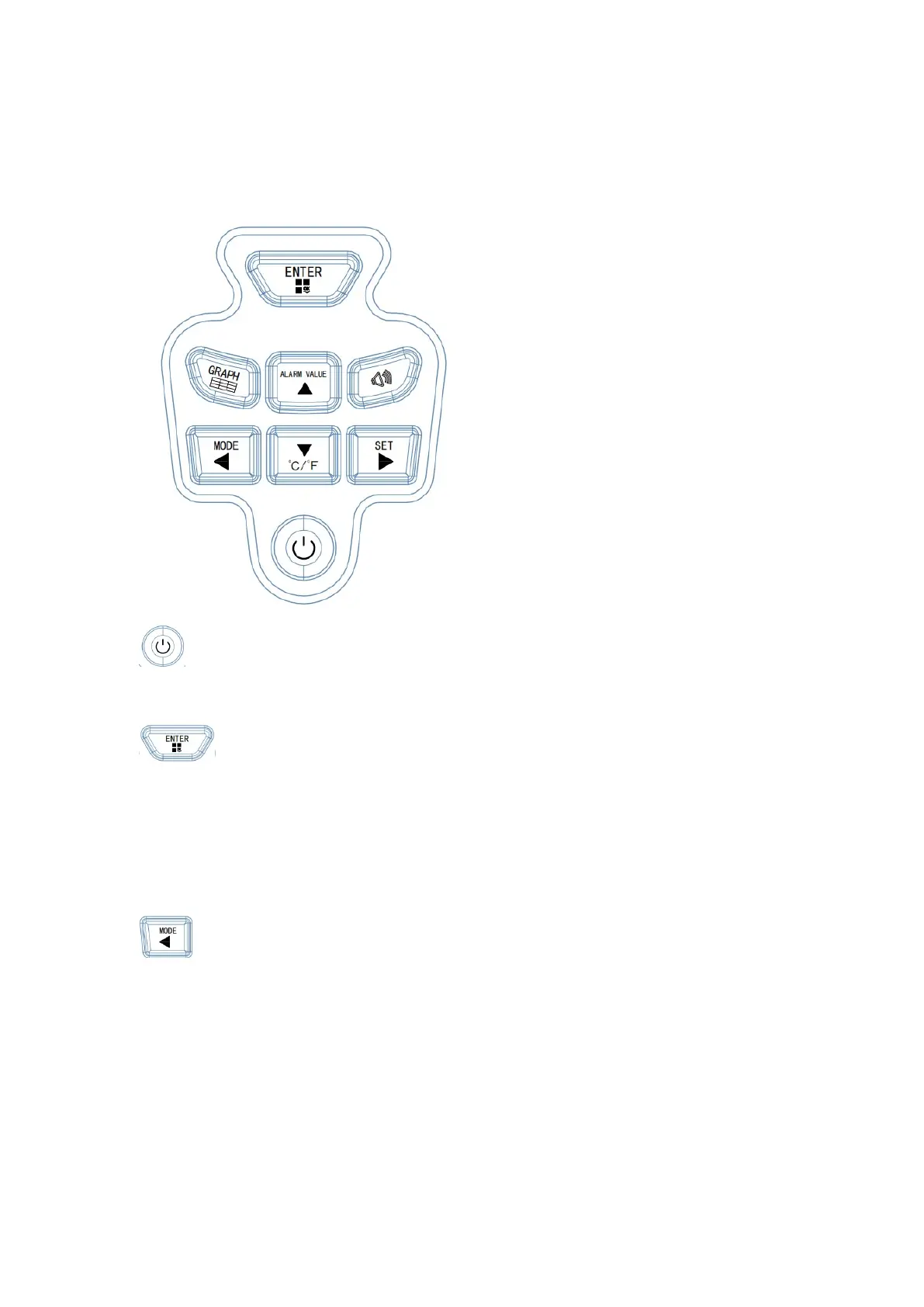
Button function
1. Power on/off button: short press to power on or off
2. OK button:
1) Historical trend interface press this button to exit to the main interface
2) The history record interface can enter the page number view
3) The function parameter interface can enter the parameter modification
4) The alarm value setting can be exited to the main interface
3. Mode button:
1) Short press to turn on the weighing mode or counting mode
2) Shift page position of history record interface
3) Parameters can be modified in the function parameter interface
4) Displacement value of alarm value setting interface


 To Next Page