Welcome to DFRobot: www.DFRobot.com.cn 9 / 49
Distance from pin to pin: 2.54mm.
Distance between two mounting holes: 24mm/53mm.
Dimension of mounting hole: 3.1mm.
Dimension of motherboard: 29.00×58.00mm
Thickness of the board: 1.6mm
Arduino IDE for FireBeetle Board-ESP32
FireBeetle Board-ESP32 is easy for and on its users, even for a novice. The tutorial below present the
way to download and install Arduino IDE software, processing in Arduino IDE.
3 Basic necessities: a FireBeetle Board-ESP32, USB data wire, and a computer that runs with
Windows/Mac OS/Linux system and has network.
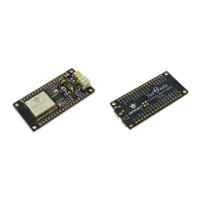
The FireBeetle Board-ESP32 and USB data wire that needed, as shown below.
USB data wire FireBeetle Board-ESP32
Arduino IDE for FireBeetle Board-ESP32 let your Arduino IDE support FireBeetle Board-ESP32 control
board. You can set up the development environment quickly by the instruction below.
STEP1: the way to download Arduino IDE software.
The instructions below are based on Windows operating system. It works as a reference to other
operating systems.
Firstly, please download the latest version of Arduino IDE software from the official website.
Our official website: http://arduino.cc/en/Main/Software
Download link: http://arduino.cc/en/Main/Software


 To Next Page
