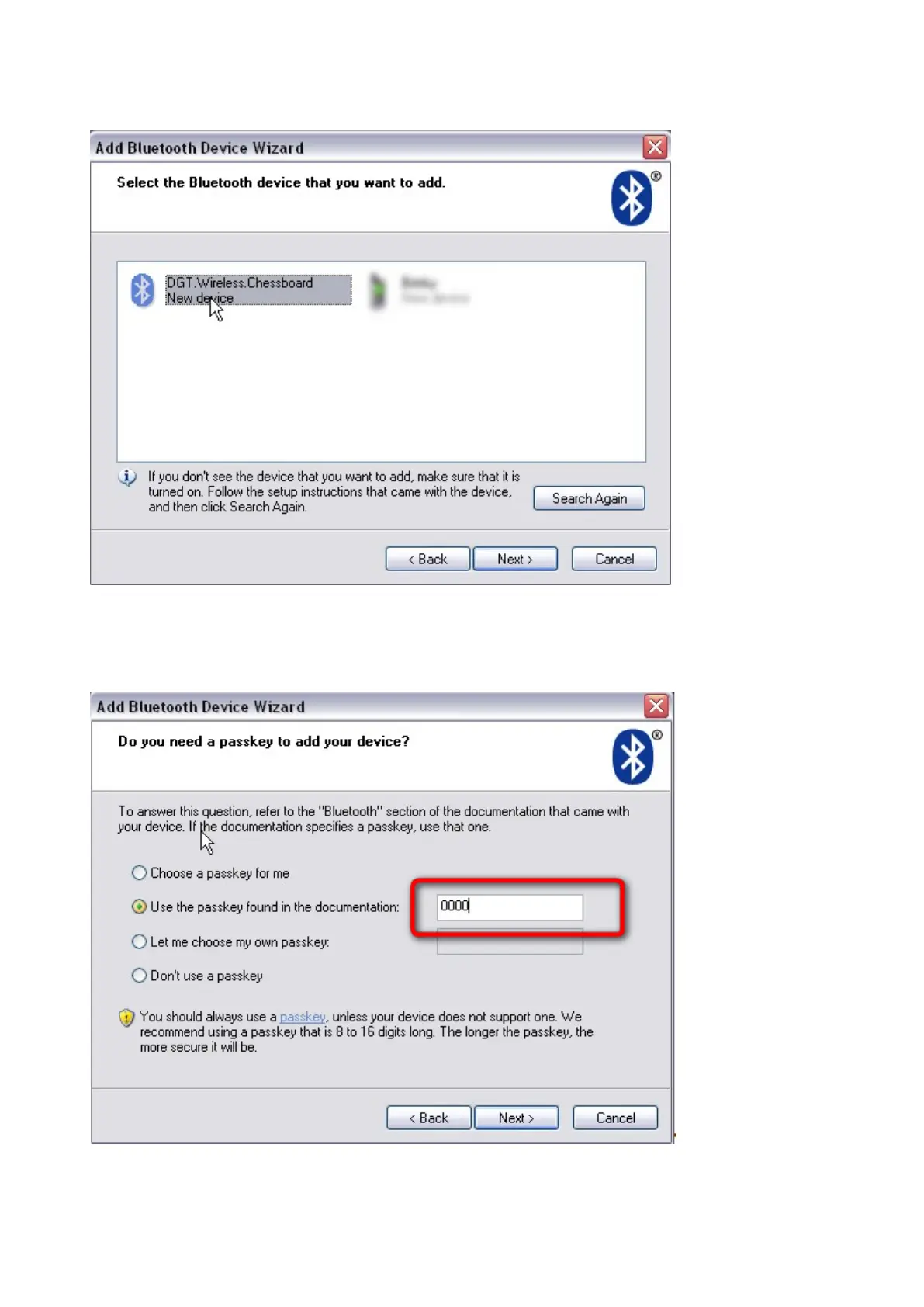
The wizard will search for Bluetooth devices. This may take a few minutes. The next window will show the
available Bluetooth devices.
Picture 9 Bluetooth devices found
Select "DGT Wireless Chessboard" and click "Next"
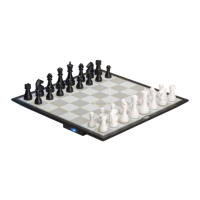
In the next dialog box choose the second option. Enter "0000" (four zero's) in the blank passkey textbox
Picture 10 Entering the passkey


 To Next Page