Setting up the USB connection
Connect the board with the USB cable to a free USB port on your computer.
Sometimes windows will not be able to find the USB device automatically.
In this case you should choose the folder on CD in which the driver can be found:
Follow these steps:
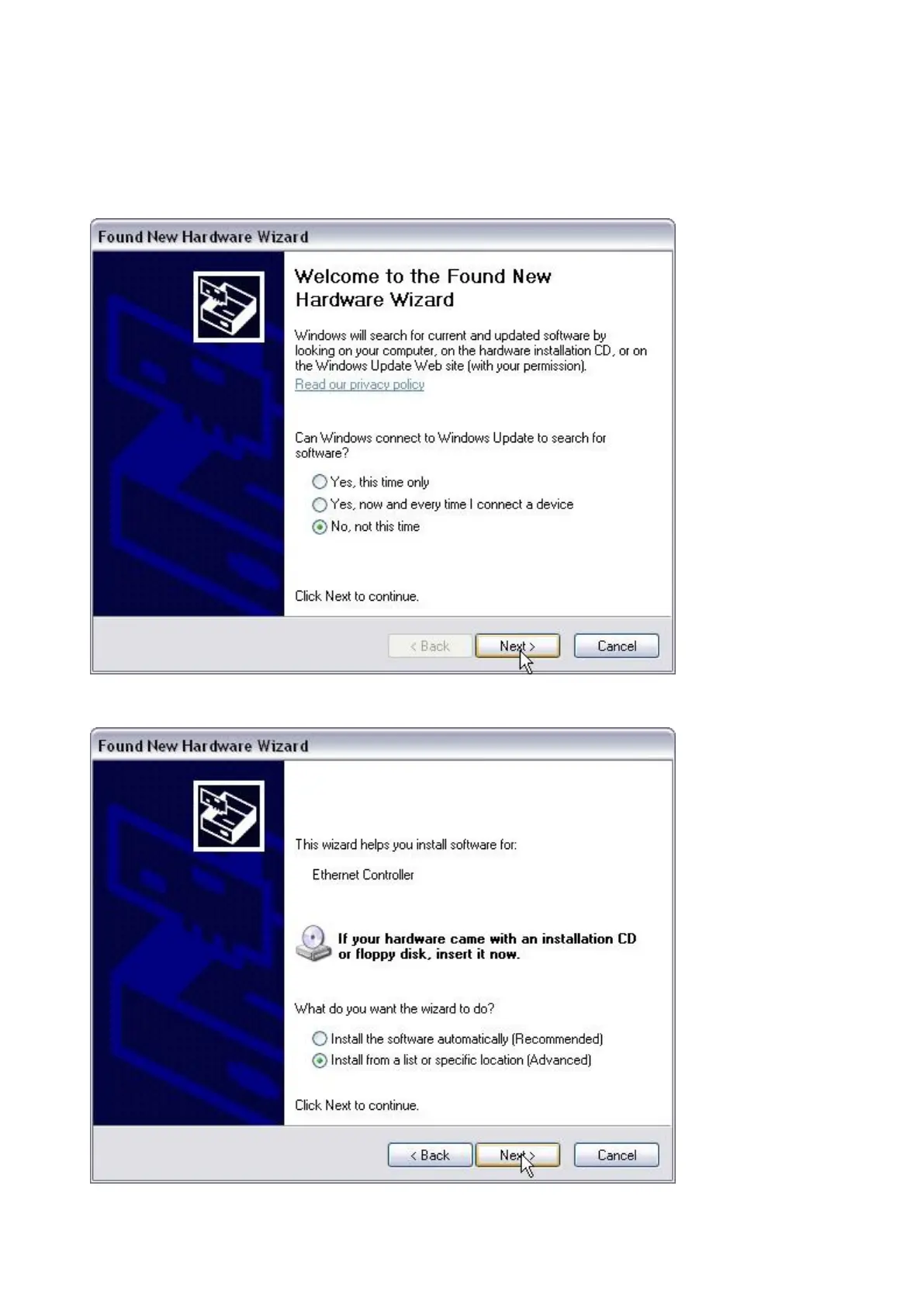
Choose "No, not this time" in this window
Choose "Install from a list or specific location (Advanced)"


 To Next Page