.
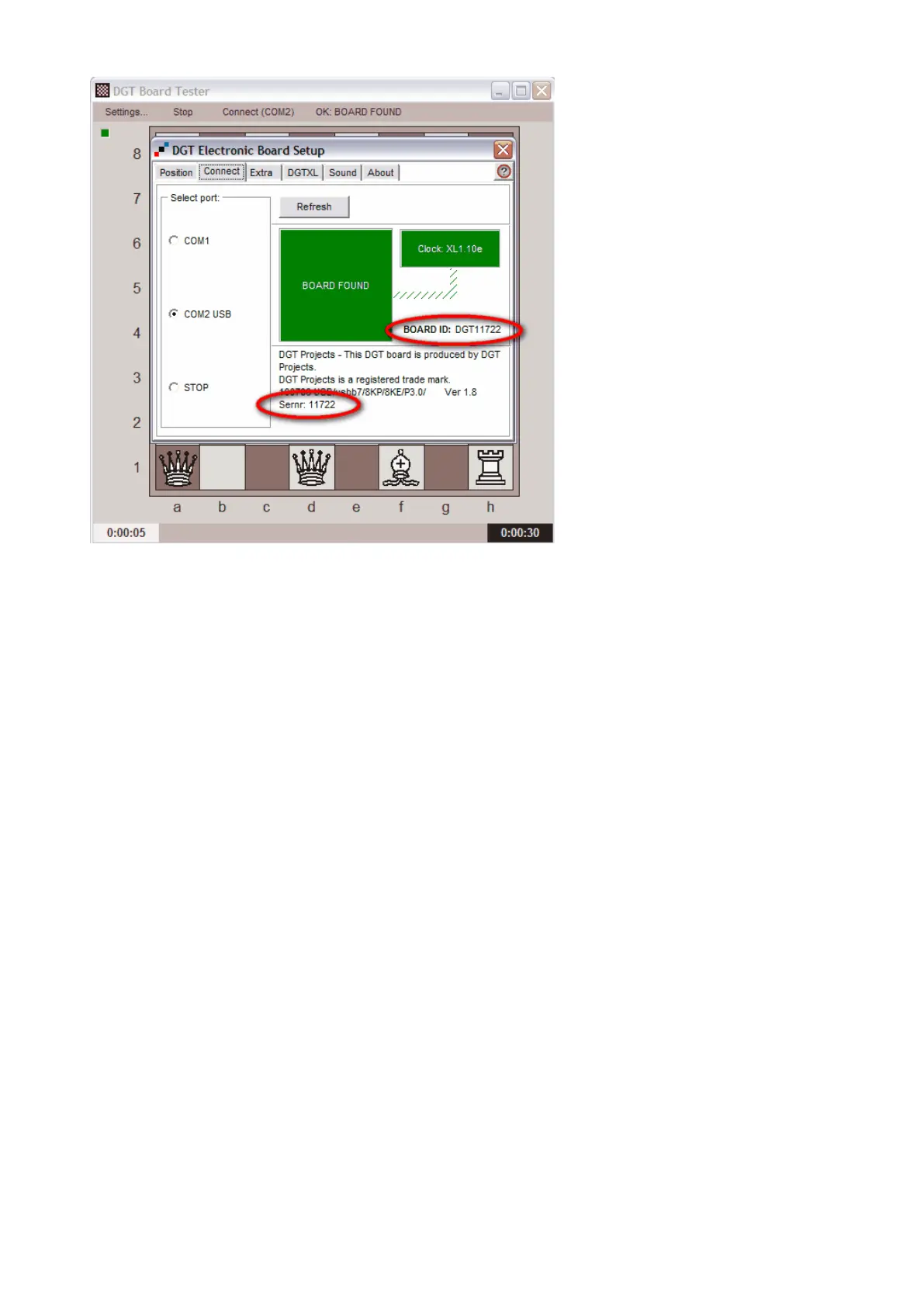
Picture 16 The board is found on COM 2 USB
Place some chess pieces on the board to check whether the board is functioning properly. To check whether
all squares of the board are properly recognizing the pieces, you can first place all pieces on the light
coloured squares as indicated in Picture 15. Secondly check the remaining squares by moving the pieces to
the dark coloured squares.
For more details about the possible settings of the "DGT Electronic Board Setup" please consult the manual
on the CD. Information about the other programs can also be found in this manual.
The setting made in this window will be applied for all programs that use the DGT board driver, for example
chess programs such as Fritz.


 To Next Page