EasyManua.ls Logo

DGTEC DG-350DSDVD - User Manual

DGTEC DG-350DSDVD
28 pages
Print Icon
To Next Page IconTo Next Page
Loading...
Please read this manual before operating
DG-350DSDVD
BC75419
A
clever
Hills.
product
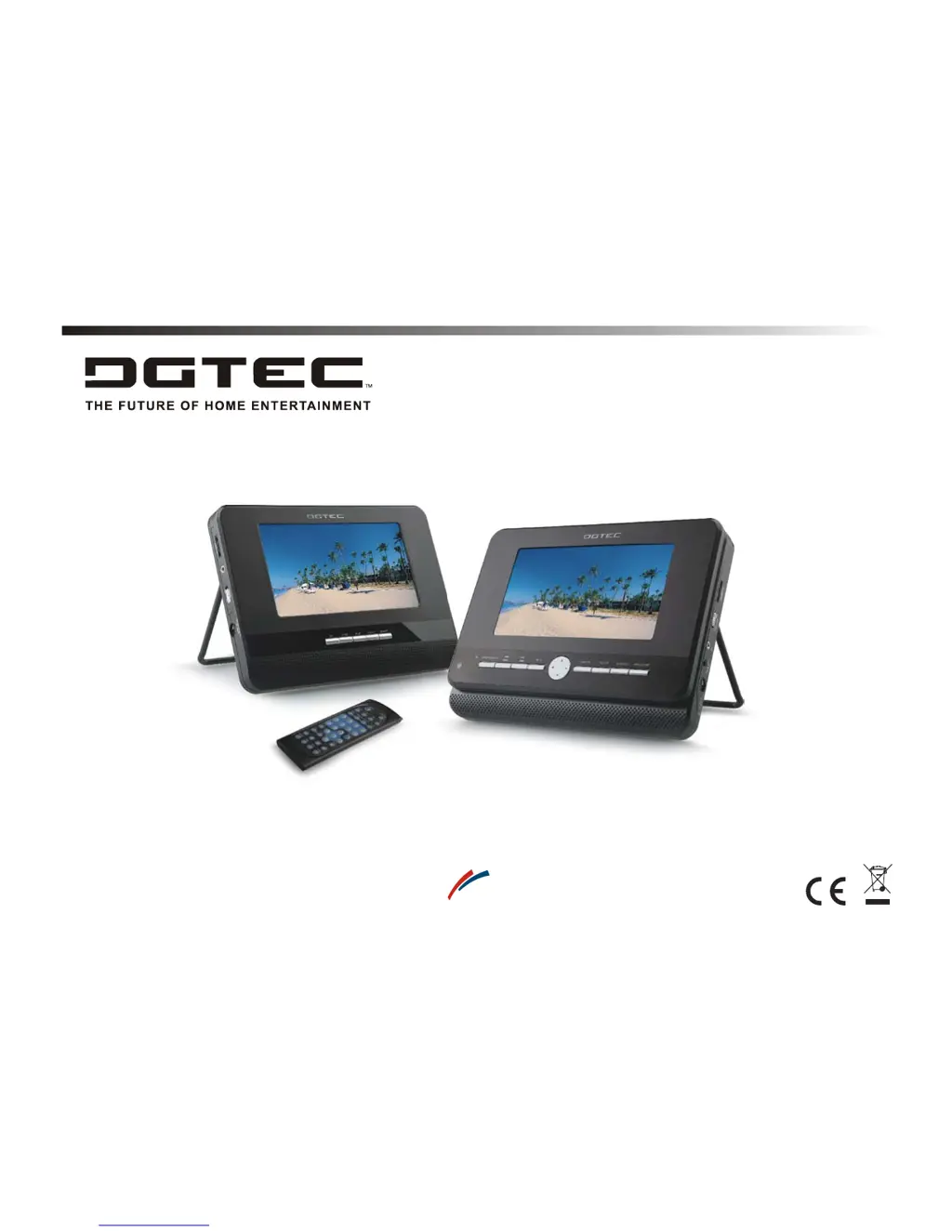
OWNER`S MANUAL
DUAL SCREEN PORTABLE DVD PLAYER

Questions and Answers

  • C
    Christopher DeanAug 2, 2025
    How to fix DGTEC Portable DVD Player when it does not turn on?
    • H
      haley77Aug 2, 2025
      If your DGTEC Portable DVD Player doesn't turn on or suddenly turns off, ensure the AC power cord is securely plugged into an AC outlet. Try turning the power off and then back on.
  • C
    Carrie BrownAug 7, 2025
    What to do if my DGTEC Portable DVD Player remote control does not work?
    • H
      Holly WilsonAug 7, 2025
      If the remote control for your DGTEC Portable DVD Player isn't working, first, ensure the batteries are correctly inserted, paying attention to the '+' and '-' directions. If they are correctly placed, the batteries may be dead, so try replacing them with new ones. Also, make sure you are pointing the remote directly at the remote control sensor on the DVD player.
  • T
    tracymontgomeryAug 13, 2025
    Why is there no sound coming from my DGTEC Portable DVD Player?
    • R
      Ronald WatkinsAug 13, 2025
      If you're not getting any sound from your DGTEC Portable DVD Player, start by checking the volume setting. If it's set to zero, increase the volume. Also, make sure headphones aren't plugged into the audio jack, as the speakers won't work when headphones are connected.
  • E
    Emily ThomasAug 19, 2025
    What to do if my DGTEC Portable DVD Player disc does not play?
    • D
      daniellehallAug 19, 2025
      If your DGTEC Portable DVD Player isn't playing a disc, first verify that the disc is a DVD, DVD-RW, VIDEO CD, or AUDIO CD. Ensure the disc isn't scratched or dirty. Make sure the label side of the disc is facing up. If these steps don't work, the pick-up lens of the DVD player may be dirty.
  • W
    wolsonAug 26, 2025
    What to do if there is no video or sound output from DGTEC Portable DVD Player LCD Screen?
    • B
      bbushAug 26, 2025
      If there's no video or sound output from the LCD screen of your DGTEC Portable DVD Player, first, check that both the player and the screens have power (LED indicators are on). Then, verify that the DC/AV cables are connected properly.

Summary

Safety Information

Safety Warnings

Laser radiation warning, fire and electrical shock prevention.

General Safety Precautions

Handling, environmental exposure, and hearing protection advice.

Connecting the Second Screen

Screen Connection Procedure

Details connecting the Power/AV cable between the DVD player and the second screen.

Connection Warnings

Advises powering on only after connection, powering off before disconnecting, and using provided cables.

Using the USB Port

Using the AC Adaptor

AC Power Connection

Details connecting the portable DVD player to AC power using the supplied adapter.

AC Adaptor Important Notes

Emphasizes turning off the player before connecting/disconnecting and using only the supplied adapter.

Using the Battery

Battery Charging Process

Steps for recharging the built-in battery, including powering off the unit.

Battery Safety Cautions

Battery Danger Warnings

Serious warnings against disassembling, modifying, or exposing the battery to heat, fire, or water.

Battery Leakage Precautions

Instructions for handling battery fluid if it leaks, especially regarding eye contact.

Battery Environmental Cautions

Advises keeping the player free from moisture and avoiding extreme temperatures.

Playing a Disc

Playing MP3 and Audio CDs

Playing Picture CDs

Changing Player Settings

Adjusting the Second Screen

Troubleshooting Guide

Common Issues and Checks

Lists symptoms like power issues, remote not working, disc not playing, no picture/sound, and their checks.

Product Specifications

General Specifications

Details power requirements, consumption, weight, dimensions, and operating temperature.

DGTEC DG-350DSDVD Specifications

General IconGeneral
BrandDGTEC
ModelDG-350DSDVD
CategoryPortable DVD Player
LanguageEnglish

Related product manuals