~ 7 ~
Using the Remote Control
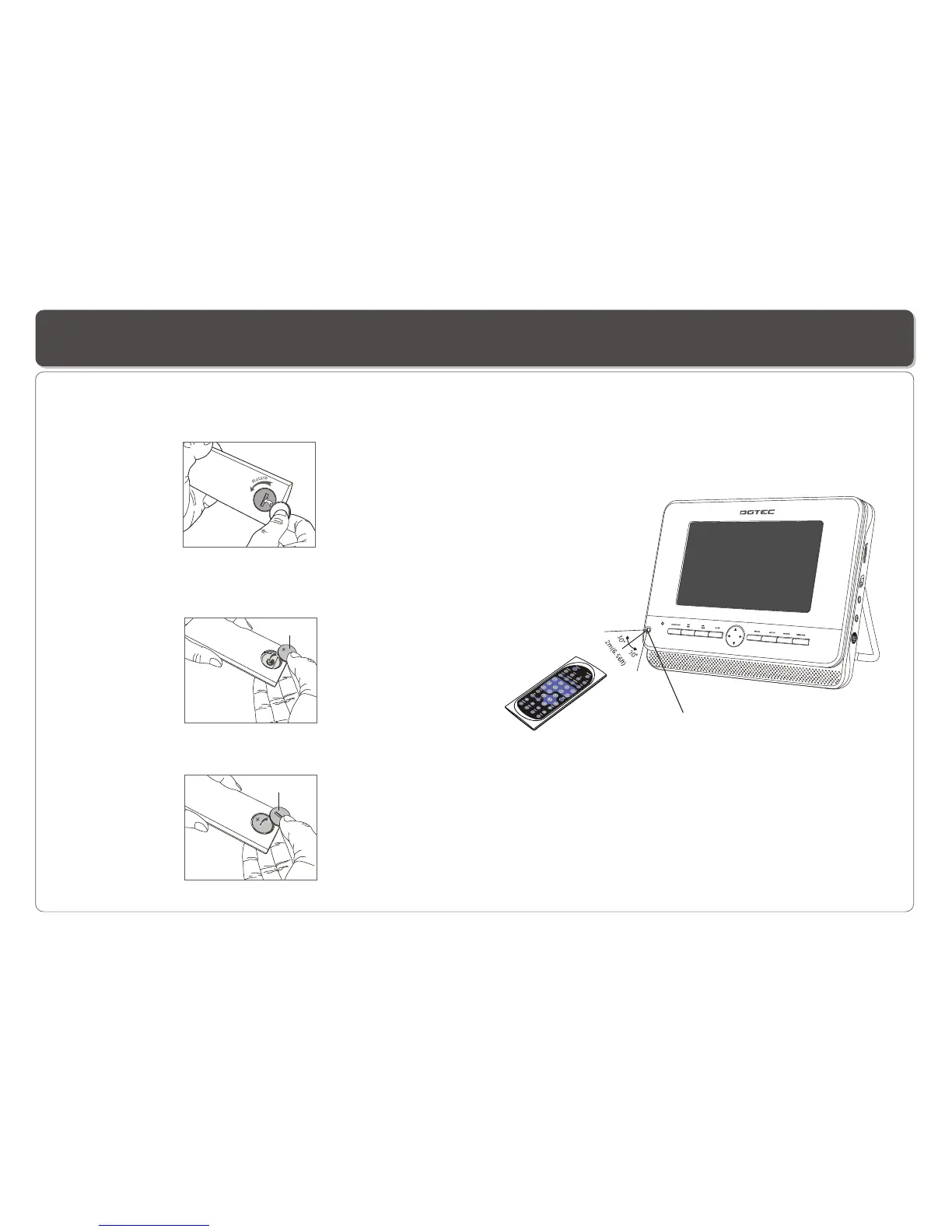
Using the remote control
Point the remote control directly at the remote sensor
on the front of the DVD Player.
Installing the battery
1. Open the battery compartment cover using a coin.
3. Replace the battery compartment cover and turn clockwise
until it stops.
2. Insert a 3V lithium battery into the battery compartment with
the polarity ( + ) facing up as marked.
Battery
battery compartment
cover
Remote Control Sensor


 To Next Page