~ 22 ~
Adjusting the Second Screen
Following these steps to adjust the LCD quality during playback
or while paused.
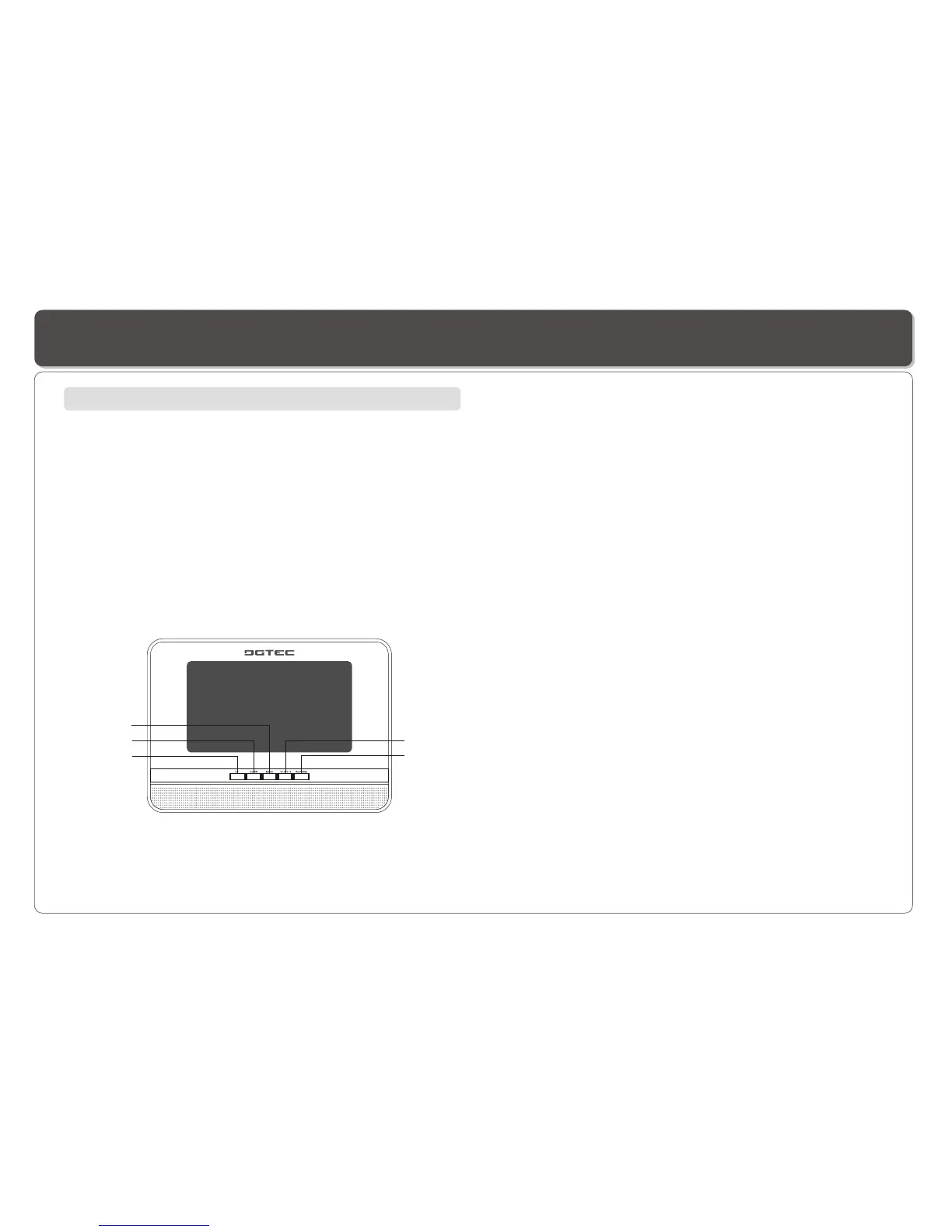
1. Repeatedly press MODE on the screen panel to select the
parameters listed in the menu.
You can change BRIGHTNESS, CONTRAST, SHARPNESS,
COLOR and TINT.
2. Repeatedly press (or hold down) UP or DOWN to change the
setting of the parameter selected.
3. To reset the setting to its defaulted value, select RESET by
repeatedly pressing MODE then press UP or DOWN to confirm.
4. Press 16:9/4:3 to change 16:9 or 4:3 display mode.
5. Press REVERSE to invert the image 180 degree.
On the LCD Screen
DOWN
REVERSE
16:9/4:3
MODE
UP


 To Next Page