~ 10 ~
Using USB Port
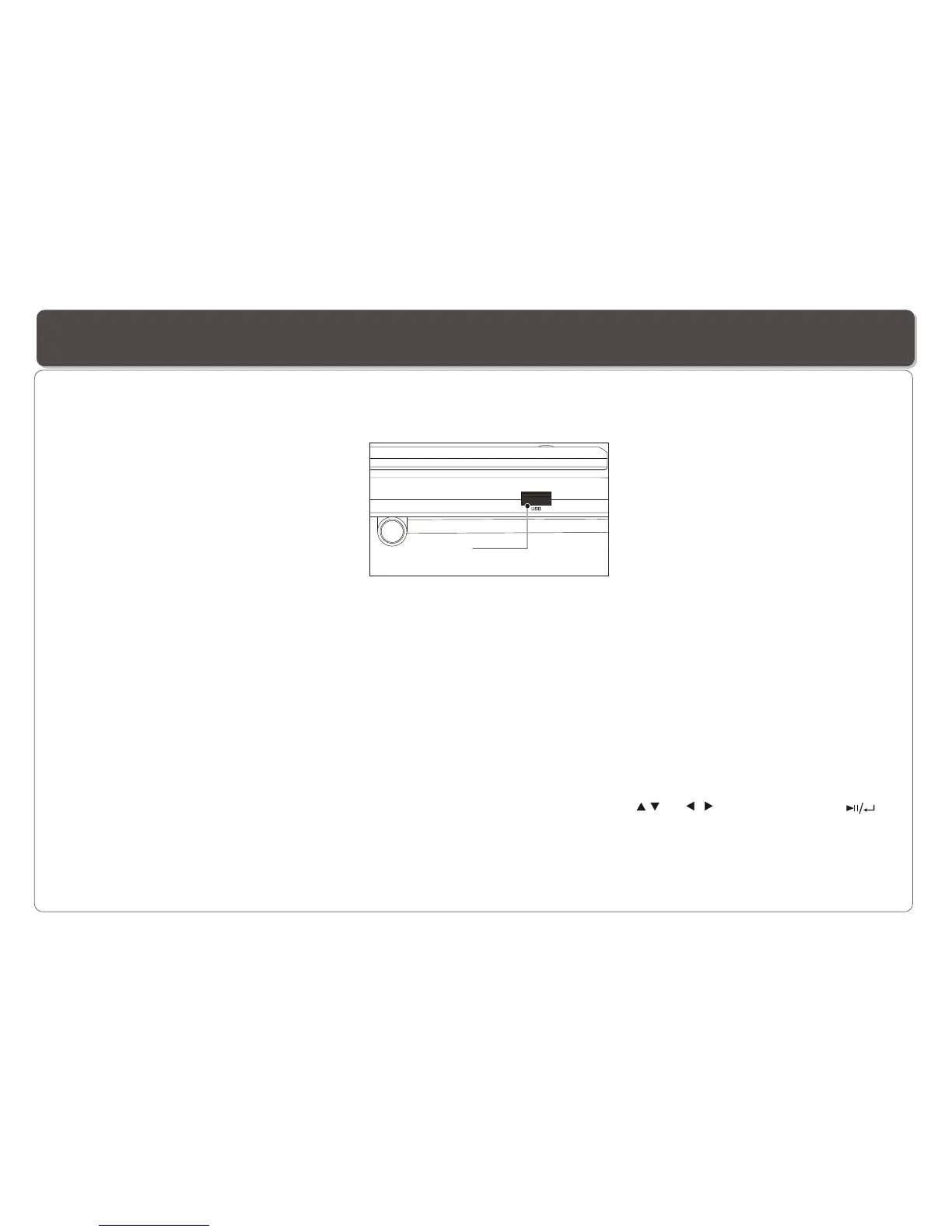
Connecting a USB device
Plug in the USB device to the USB port on the Player.
Removing a USB device
You can remove the USB device anytime even when it is playing. To remove the USB device, simply grasp the end of the USB and
remove it from the slot.
Playing a USB device
The Player accepts most USB devices such as MP3, DSC, USB- drive, Digital Camcorder etc. The USB in this Player supports
version 1.1/2.0.
,,
USB slot
1. Repeatedly press SOURCE to select USB, and the Player will start playing the first file in the first directory if there is more than
one directory.
2. To play other files, press MENU/PBC to bring up the file directory, then use direction key ( and ) to select and press
to play.


 To Next Page