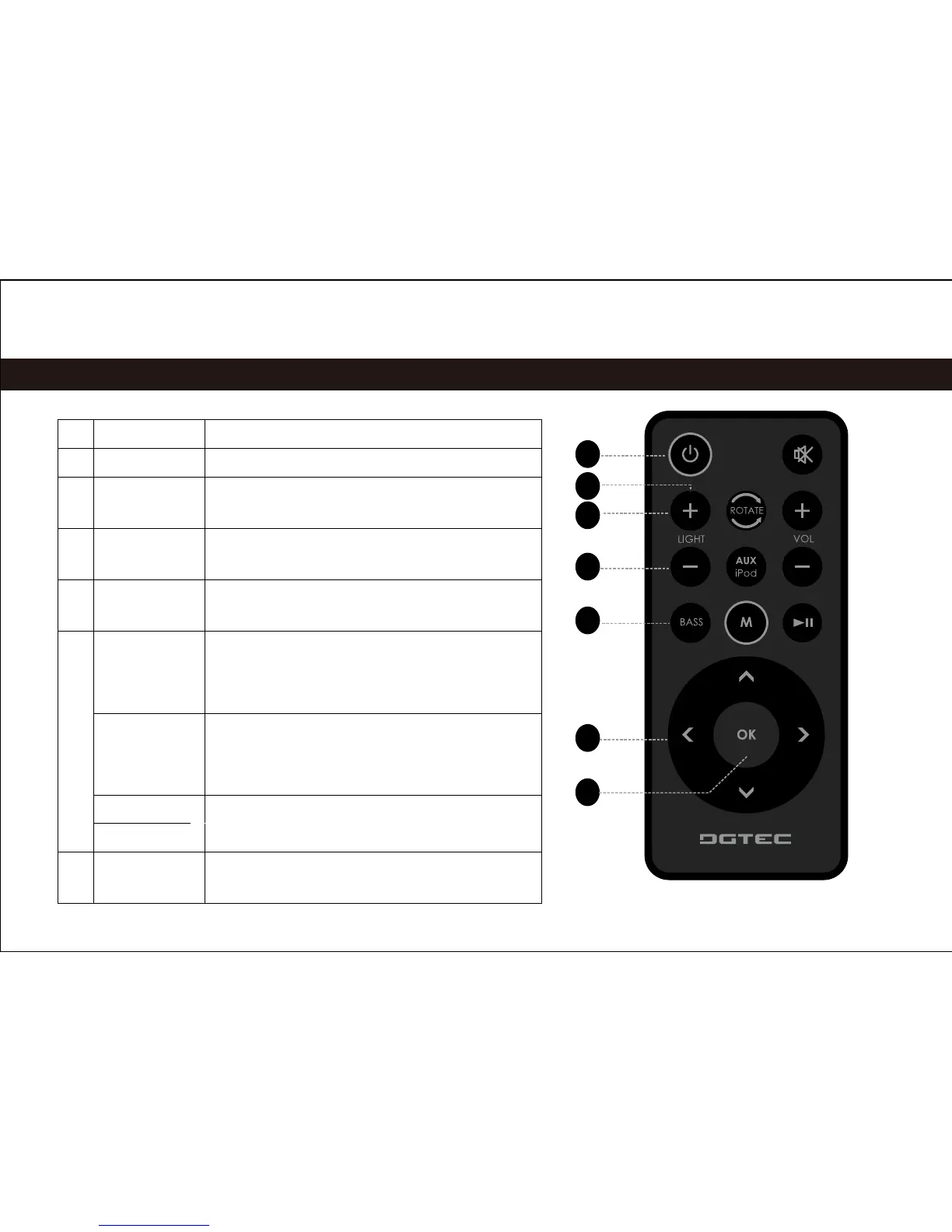
1 [Standby] Press to turn the unit on or off.
2 [ROTATE] Press to rotate the dock.
3 [LIGHT +] Press to increase the intensity of the
background light.
4 [LIGHT –] Press to decrease the intensity of the
background light.
5 [BASS] Press to turn the Bass Boost
enhancement on or off.
6 [LEFT] Press to skip to the previous track.
Hold to scan in reverse quickly
through the current track.
[RIGHT] Press to skip to the next track.
Hold to scan forward quickly through
the current track.
[UP] Use to browse iPod
®
or iPhone
®
menus.
[DOWN]
7 [OK] Press to enter an iPod or iPhone
menu selection.
|
4
Remote Control
1
2
3
4
5
6
7


 To Next Page