Connections
Connecting Power
This unit is powered by an AC/DC adapter.
Connect one end of the AC/DC adapter
to an AC 100-240V 50/60Hz mains outlet.
Connect the other end to the DC IN connector
located on the rear of the unit.
Do not connect the power adapter to
a power outlet other than that which is
indicated here or on the label as this
may result in the risk of fire or electric
shock.
Do not handle the power plug with wet
hands. Doing so may cause electric
shock.
Connec ting an iPod
®
or iPhone
®
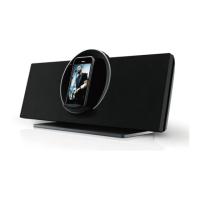
If you have a compatible iPod or iPhone,
you can play it through the speakers of
the main unit.
♦
Compatible iPod/iPhone models are
listed in the Specifications section of this
manual.
♦
To c onnec t your iPod/ iPhone:
Plug your compatible iPod/iPhone into
the Universal Dock.
♦
| 7
Getting Started


 To Next Page