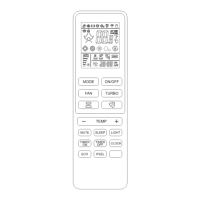
REMOTE CONTROL
4
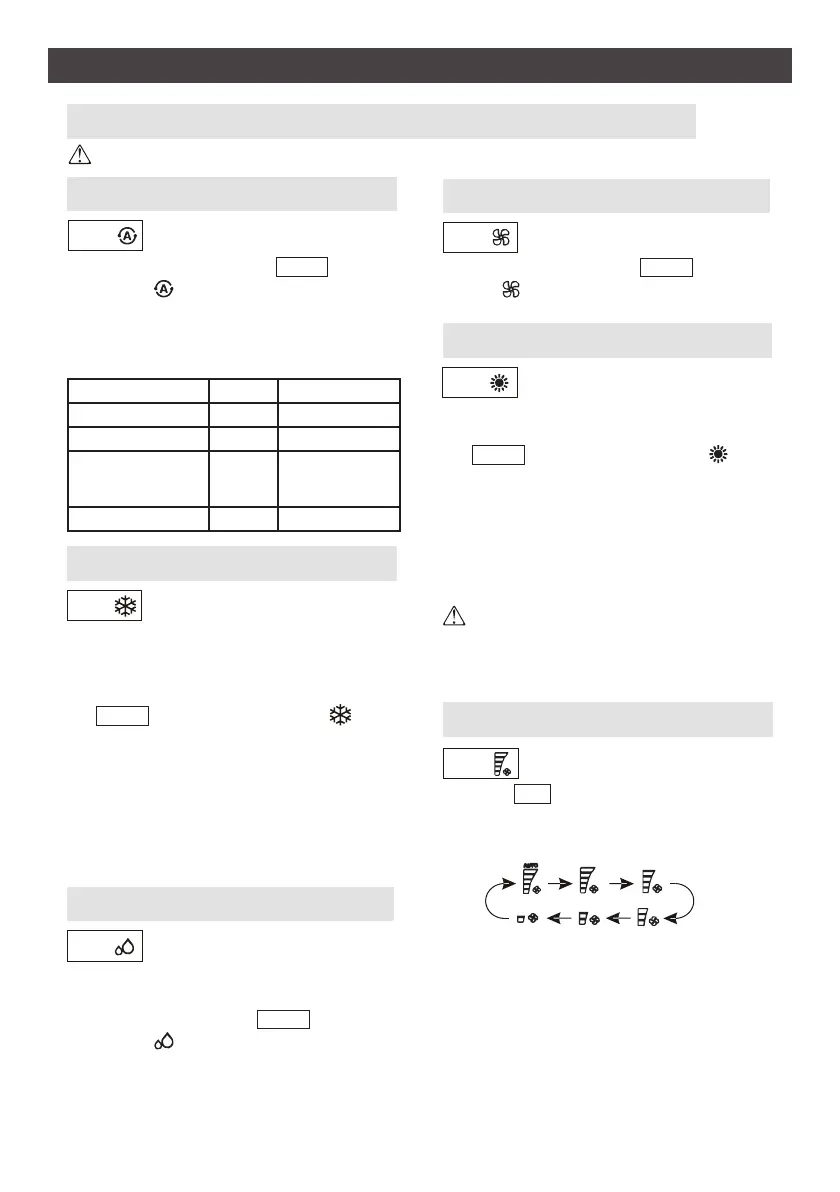
Press MODE buon to select the mode of operaon (AUTO, COOL, DRY, FAN, HEAT).
COOLING MODE
HEATING MODE
AUTO MODE
COOL
HEAT
AUTO
FAN
FAN
Change the operang fan speed.
Automac mode.
The cooling funcon allows the
air condioner to cool the room
and reduce air humidity at the
same me.
The heang funcon allows the
air condioner to heat the room.
Fan mode, air venlaon only.
To set to FAN mode, press MODE unl the
symbol appears on the display.
To set to AUTO mode, press MODE unl
the symbol appears on the display.
In AUTO mode the run mode will be set
automacally according to the room tem-
perature.
Press the FAN buon to set the running fan
speed. It can be set to AUTO/ HIGH/ MID-
HIGH / MID/ MID-LOW/ LOW speed.
When the unit rst starts in heat mode, it may take
2-5 minutes before air ow will be discharged from
the unit. If needed, wait 3 minutes before restarng
the unit.
To acvate the cooling funcon (COOL), press
the MODE buon unl the symbol
appears on the display.
Set the desired temperature using the + or -
buons. The cool mode will acvate when
room temperature is above the set tempera-
ture.
Note: Set temperature range is between 61°F and 86°F.
To acvate the heang funcon (HEAT), press
the MODE buon unl the symbol
appears on the display.
Set the desired temperature using the + or -
buons. The heat mode will acvate when
room temperature is below the set tempera-
ture.
Note: Set temperature range is between 61°F and 86°F.
DRY MODE
DRY
This funcon reduces the humid-
ity of the air to make the room
more comfortable.
To set to DRY mode, press MODE unl
the symbol appears on the display. When
acvated, the unit will automacally reduce
the humidity to a predetermined seng.
If the unit does not respond when changing modes, wait 3 minutes and try again.
Indoor Temperature
Mode Target Temperature
≤ 70°F (21°C)
HEATING 72°F (22°C)
70°F-73°F (21°C-23°C)
FAN ONLY
73°F-79°F (23°C-26°C)
DRY
Room temperature
decrease 2°F aer
3 minutes.
> 79°F (26°C)
COOLING
79°F (26°C)


 To Next Page