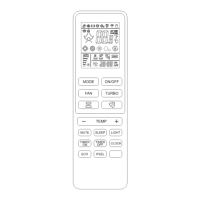
REMOTE CONTROL
6
Sleep
Mode
Mode
Target Temp Increase/Decrease
1 hour 2 hours 6 hours 7 hours
Mode 1 Cool/Dry - +2°F - -
Heat - -2°F - -
Mode 2 Cool/Dry - +2°F -1°F -1°F
Heat - -2°F +1°F +1°F
Mode 3 Cool/Dry +1°F +2°F -2°F -1°F
Heat -2°F -2°F +2°F +2°F
Mode 4 Cool/Dry
No Change - Turns o aer 8 hours
Heat
No Change - Turns o aer 8 hours
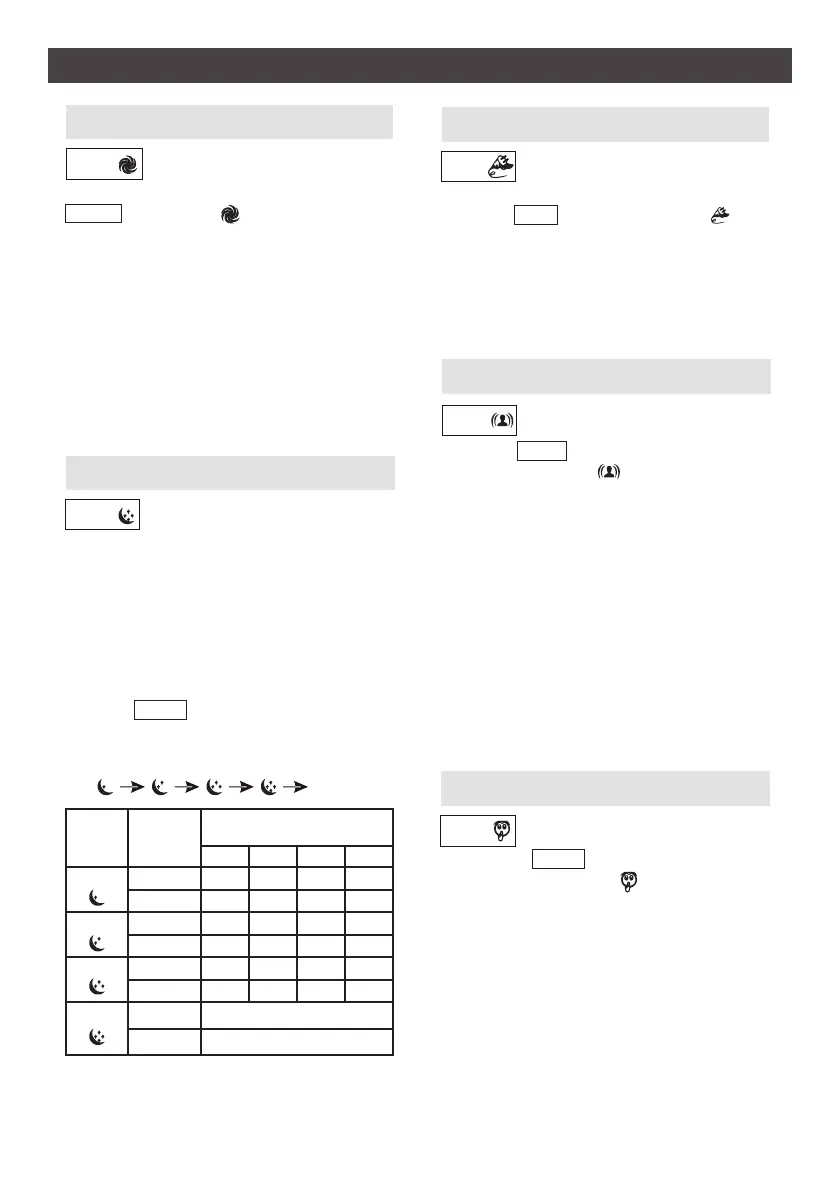
MUTE
SLEEP
ECO
I FEEL
Automacally sets the operaon at
minimum capacity to save energy.
Press the ECO buon. The symbol will
appear on the display, and the appliance
will run in ECO mode. Pressing the ON/OFF,
MODE, TEMP, FAN, SLEEP, MUTE or ECO
buons will cancel ECO funcon.
Note: The ECO funcon is not available in AUTO Mode.
Sleep funcon gives you a more comfortable
environment for sleep. It can be set in Cool-
ing, Heang or Dry modes.
The appliance will stop operaon automa-
cally aer operang for 8 hours. Fan speed is
automacally set at low speed.
There are 4 levels of sleep funcon. Each
me the SLEEP buon is pressed, the sleep
funcon will be changed in the following
sequence:
Press the I FEEL buon to acve the
funcon. The symbol will appear on the
remote display. Press again to deacvate this
funcon.
This funcon enables the remote control to
sense the temperature at its current locaon,
and send this signal to the air condioner to
opmize the temperature around you and
ensure your comfort. The remote must be
near the indoor unit to receive the signal.
When turning o the unit or when the I FEEL
funcon is not needed, turn o the funcon
to save energy. If the I FEEL funcon will not
turn o, press and hold buon for 5 seconds.
1. Press the MUTE buon to acvate this
funcon. The symbol will appear on
the remote display. Press buon again to
deacvate this funcon.
2. When MUTE is selected, the remote con-
troller will display the auto fan speed, and
the indoor unit will operate at the lowest
fan speed to minimize sound.
3. Press the FAN or MODE buon to cancel
the MUTE funcon. The MUTE funcon
cannot be acvated under Dry Mode.
TURBO
To acvate the turbo funcon, press the
TURBO buon. The symbol will appear
on the display. Press again to cancel this
funcon.
When in Fan Only or Dry mode, the fan
speed will be set to high automacally.
When in Cooling mode, the fan speed will be
set to high and the temperature to 61°F.
When in Heang mode, the temperature is
set to 86°F and the fan speed to AUTO.
OFF


 To Next Page
 Loading...