
 Need help?
Do you have a question about the DIAL RCH-RTY2-0 and is the answer not in the manual?
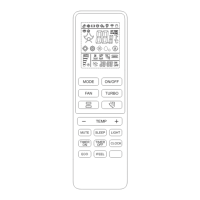
Explains symbols and their corresponding functions on the remote control display.
Details the function of each button on the remote control for operation.
Guides on battery replacement, storage, and optimal usage of the remote control.
Covers various operating modes like Auto, Cooling, Dry, Fan, Heating, and Fan Speed.
Details clock setting, airflow direction adjustment, and timer functions.
Explains special functions like Turbo, Sleep, ECO, I FEEL, and Mute for comfort and efficiency.
Outlines cleaning, 8°C heating, display light, and child-lock features for maintenance and safety.
 General
| Brand | DIAL |
|---|---|
| Model | RCH-RTY2-0 |
| Category | Remote Control |
| Language | English |

 To Next Page