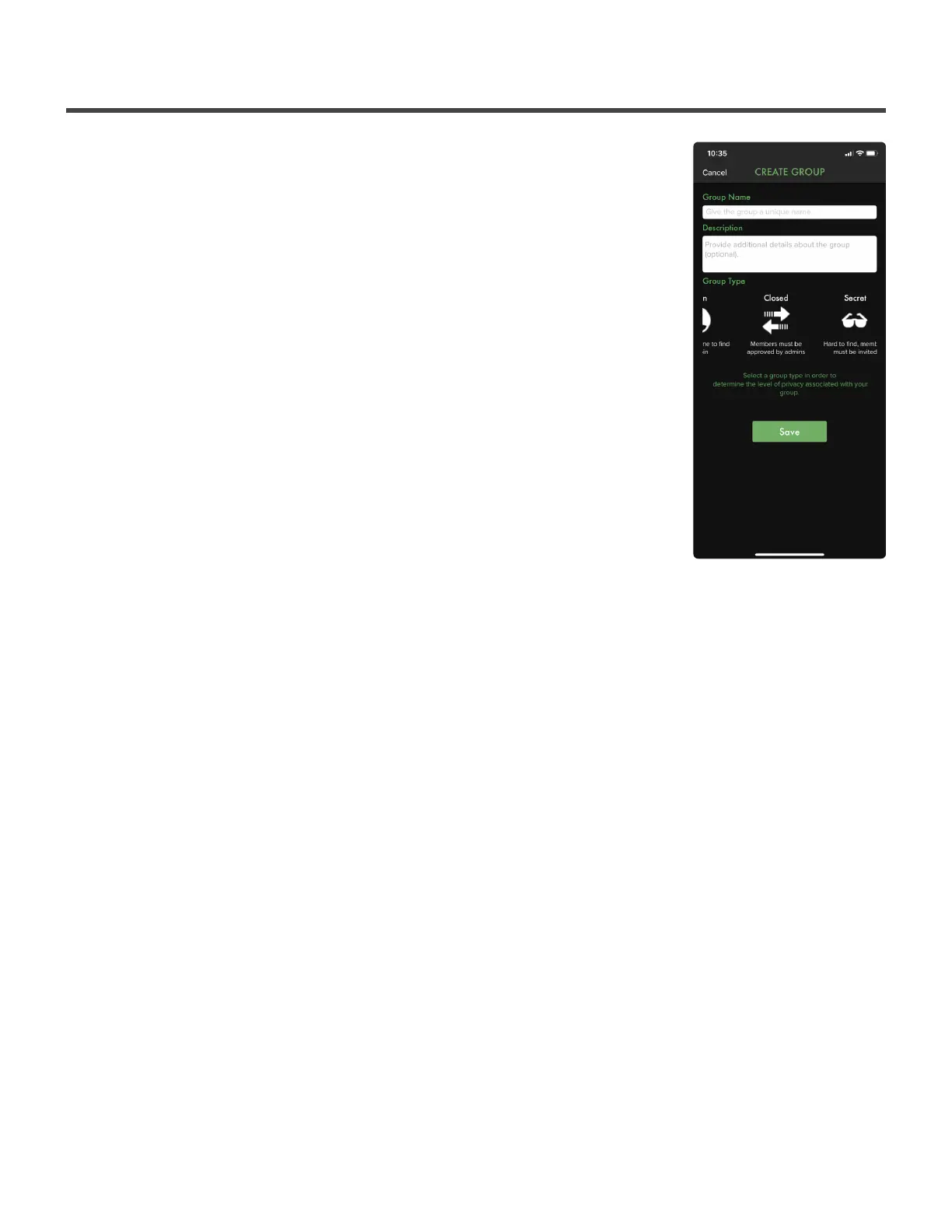
11.2.1. Creating a Group
To create a group select the green circle with white + in the lower right hand
corner of the page. Then select Create Group.
Here you’ll be asked for a group name, group description (optional) and
privacy settings.
There are three (3) different settings for privacy: Open, Closed and Secret.
Open: In the Open privacy settings, a group is searchable as well as able to be
joined for any players. Players can see each other in the group but need to log
in to a group member’s account to view or record data. Admin has full access.
Closed: In the Closed privacy settings, a group is searchable as well as able to
be requested to join from players. Players can see each other in the group but
need to log in to a group member’s account to view or record data. Admin has
full access.
Privacy: In the Secret privacy settings, a group is not searchable. Players cannot see other members in the
group. Admin has full access.
Diamond Kinetics PitchTracker Baseball - PitchTracker Ba
Page 47 of 76


 To Next Page