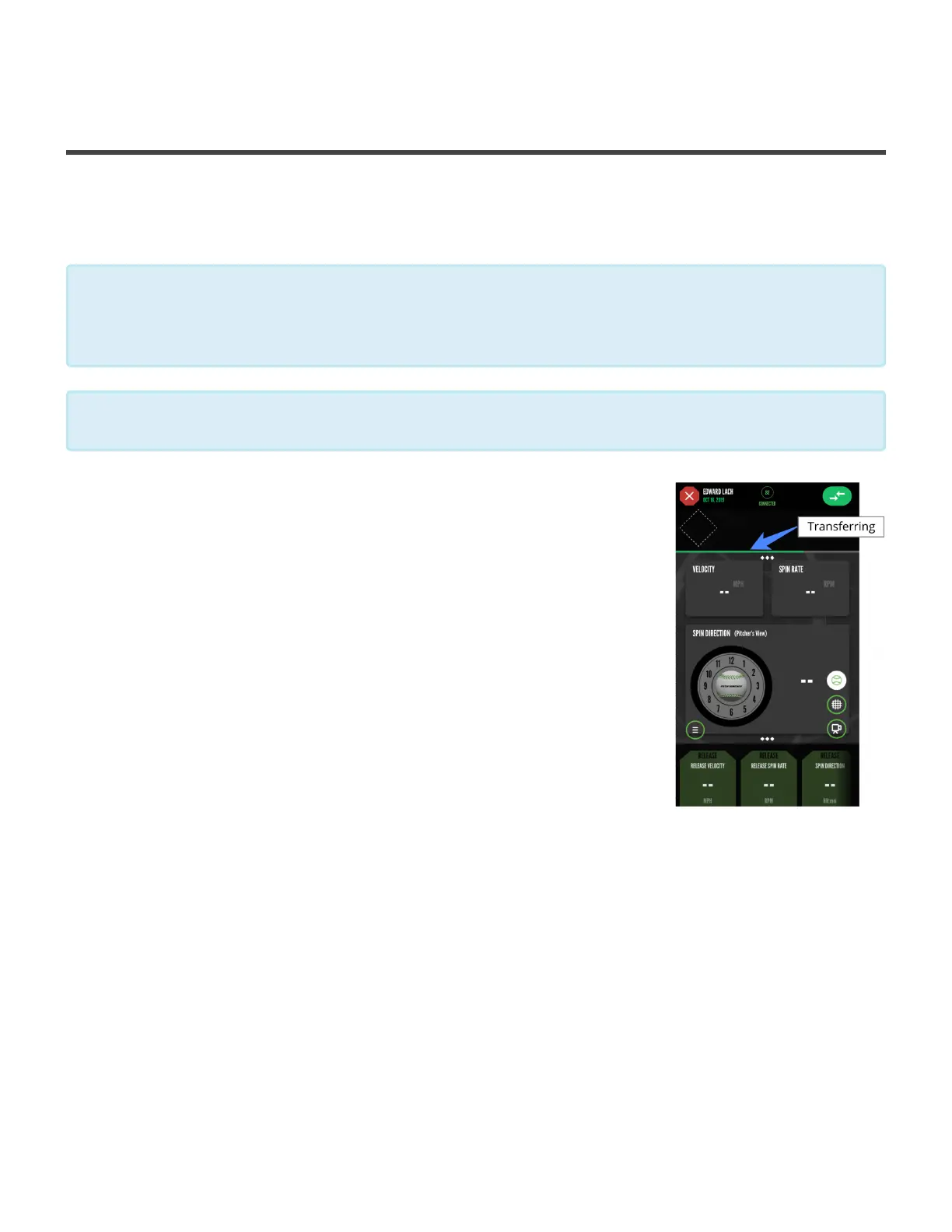
Transferring Pitches Indicator
15. Best Practice Setup with Pitcher and
Catcher
When using the PitchTracker with just a Pitcher and Catcher there is a best
practice setup to make sure all of your pitches transfer quickly to the app!
If the mobile device is near the catcher:
• Make sure the catcher pauses with the ball after catching it. This
allows time for the pitch to transfer.
• After the catcher throws back to the pitcher, the catcher should
again make sure the app is not currently transferring a pitch
before the pitcher throws again.
If the mobile device is near the pitcher
• The pitcher should pause with the ball to allow any pitches to
transfer before throwing to the catcher.
When a pitch is thrown, a green bar will transfer across the top of the screen. Once the
green bar has filled all the way across the screen, the pitch has been successfully
transferred.
*
The pitcher should throw first, so wait to start a session until the pitcher has the ball.
*
Diamond Kinetics PitchTracker Baseball - PitchTracker Ba
Page 73 of 76


 To Next Page