1. TEST
The test functions permit the user to check all of the important elements of the scale in order to
assure that they function correctly; or in the case of a malfunction, find the faulty element quickly. The scale
must be turned off to leave test mode.
1.1 ENTERING TEST MODE
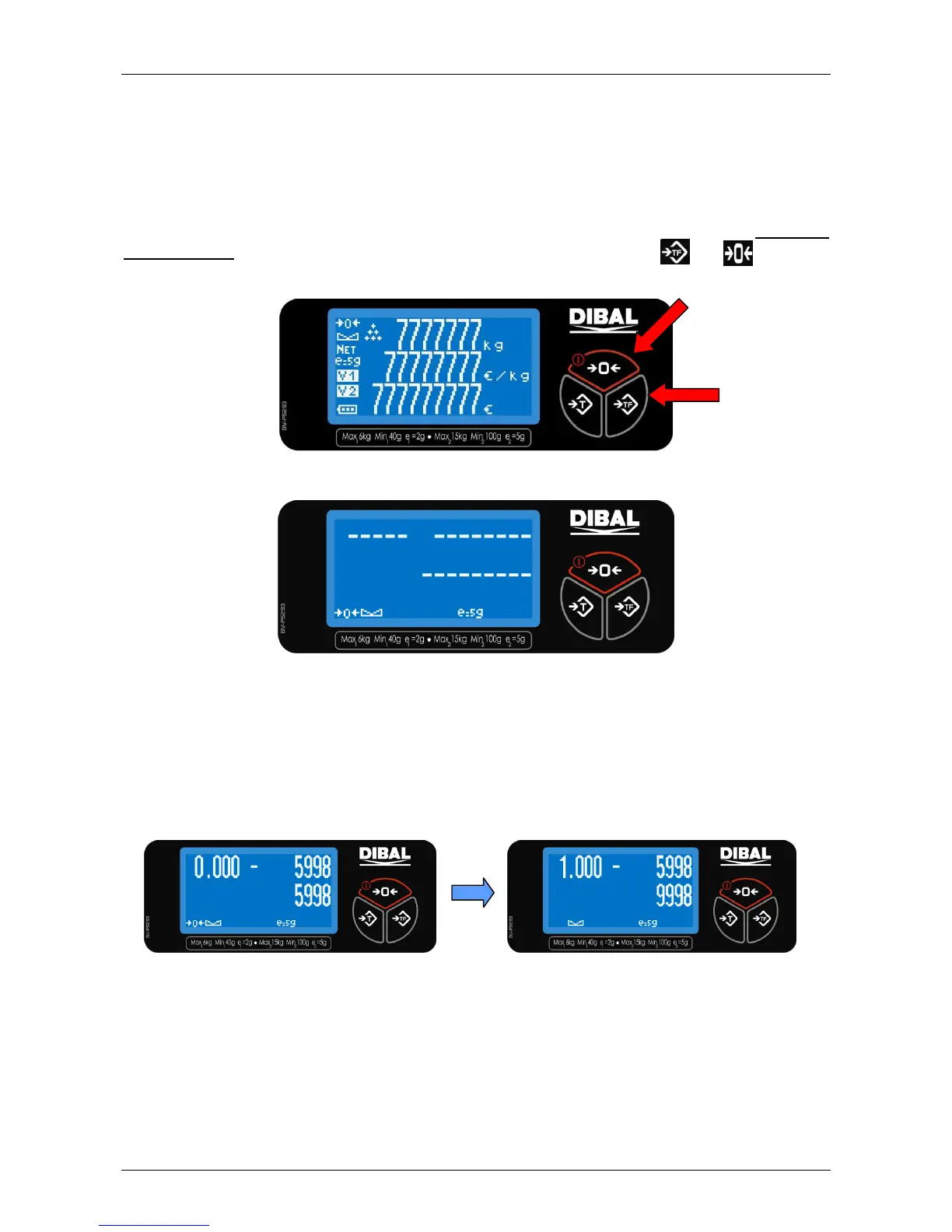
When the scale is turned on, a segment test is run showing a count down from 9 to 0. In order to
enter test mode, press the two outside keys on the bottom row of the keyboard:
and , before the
countdown reaches 0. Backlighting is on while the equipment is in mode test.
The scale will show hyphens in all the display‟s digits, followed by the following information.
1. The weight value in grams is shown in the weight display.
2. The zero weight value in internal divisions is shown in the price per kilogram display. This value is
accompanied by a hyphen, which is in the center segment if the value is in the limits set when the
scale was adjusted or in the upper or lower segments if the value is greater or lesser than the
limits respectively.
3. The weight value in internal divisions is shown in the amount display.
This will be referred to as test ready, and is the beginning point for all the tests to be done.



 To Next Page