15.5. CHANGE OF PAPER
15.5.1.Changing paper in the printer
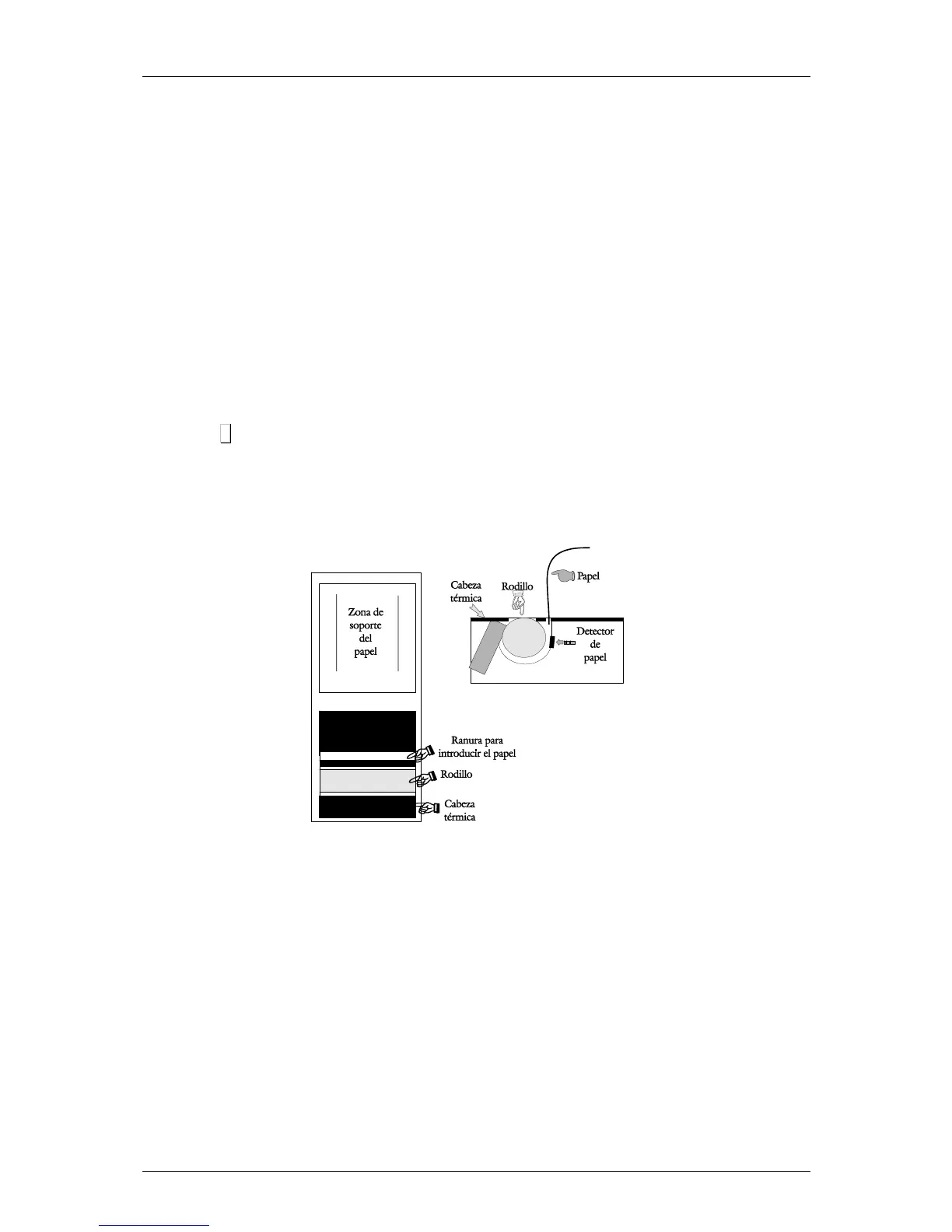
To change the paper in the printer, proceed as follows:
• Open the new reel of paper and remove the part containing glue.
• Open the cover. Remove the remains of the paper and the reel holder.
• Use the lever on the right of the printing head to remove pressure from the same (see drawing on
the inside of the printer cover).
• Insert the paper in the slot. Be careful to insert it in the correct slot. Otherwise, the machine will not
be able to detect the paper.
• Turn the lever to its original position.
• Hold σ
σσ
σ down until the paper until the paper comes out on the other side of the holder. Then slip the
paper through the slot of the lid.
• Place the holder in the area indicated for that purpose and close the cover.



 To Next Page