7 8
Product Operation
3
4
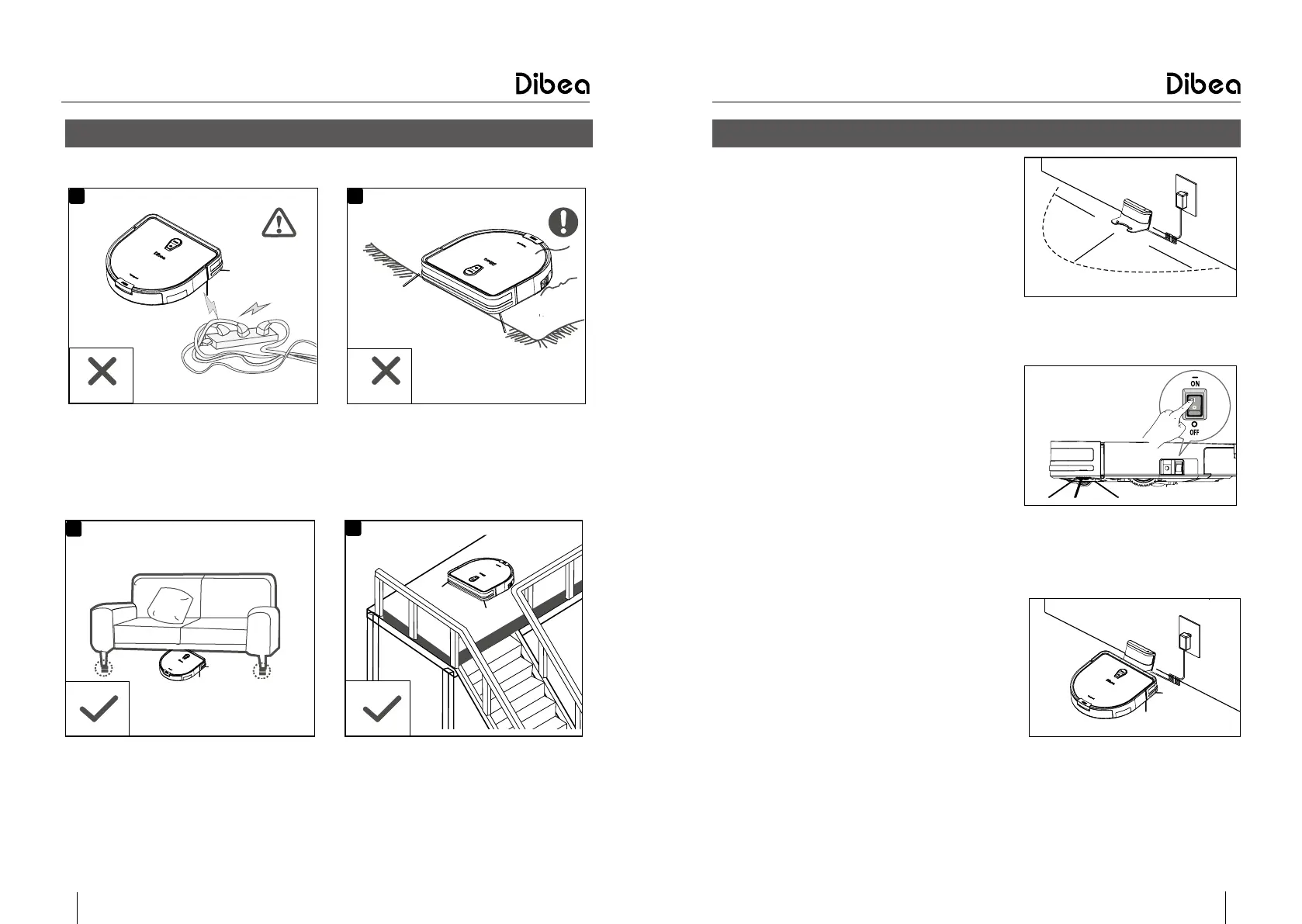
Lift up the furniture if it is lower than
8cm when cleaning
Make sure there are protective railings
when it cleans on stairs
●
Attention
1
2
Remove all the cables to avoid tangling Make sure the carpet fringing won’t
tangle the vacuum cleaner
Before using the vacuum, please check the environments as described below:
Product Operation
●
Fast guide
Charging prepare
●
Connect the adaptor to the charging base
●
Place the charging base against the wall
and remove obstacles about 1 meter at two
sides and 2 meters forward
●
Plug the adaptor into the wall socket
Start the vacuum
●
Turn on the switch button on the side, “I”
means turn on, “O”means turn off
●
After cleaning, for next use, do not turn on
the main switch button.
Charging
●
Place the vacuum onto the charging base
●
Or connect the adaptor to the main body
directly
●
When the “START” button turns yellow
from weak to strong, it means the vacuum
is charging
●
When the light turns green, the vacuum is
fully charged
●
When using it at the first time, please fully
charge the vacuum until the light turns
green
1m
2m
1m
.
.
.



 To Next Page