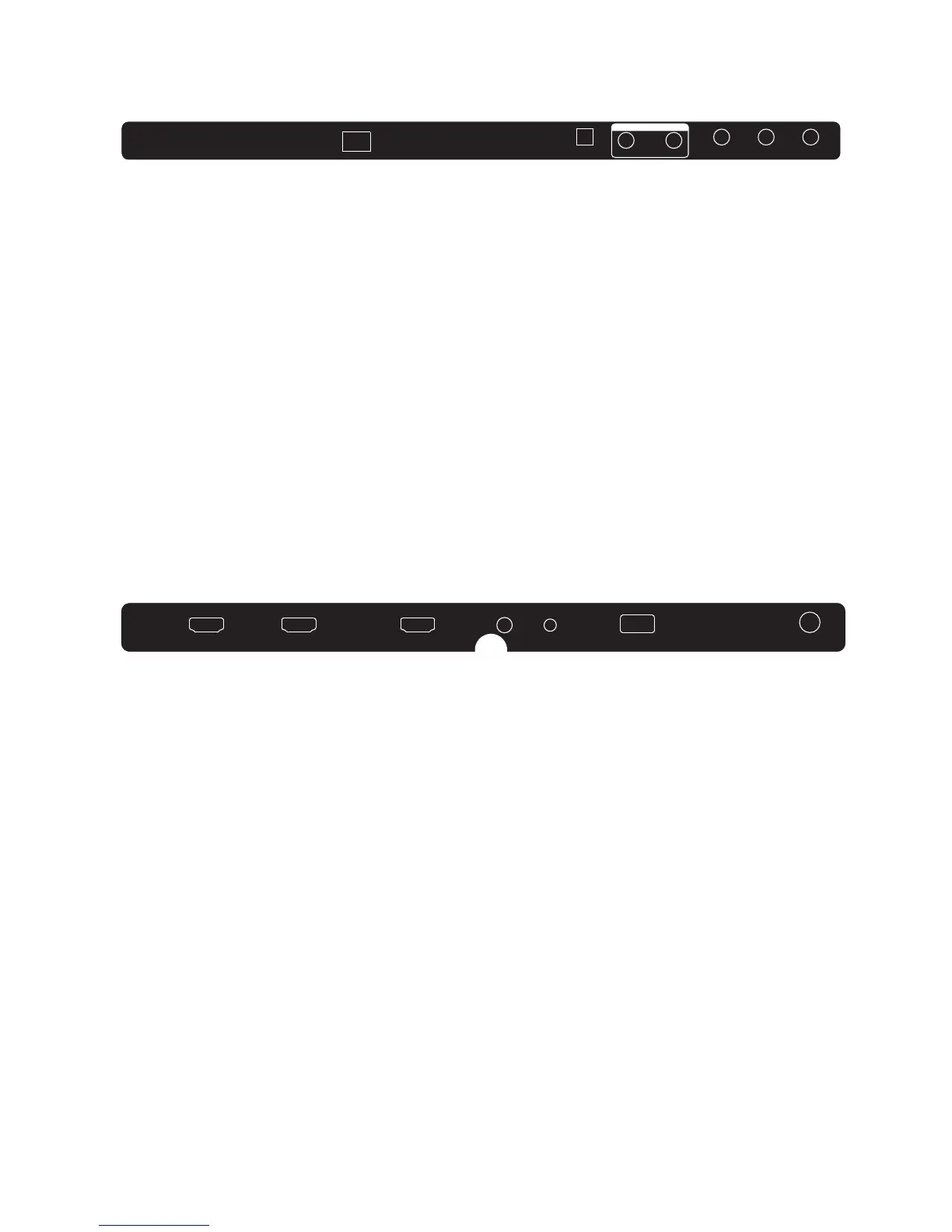
REAR AV Connections
SIDE AV Connections
8
When viewed from the rear of the TV, the following terminals/connections are visible (from left
to right):
● AC mains power cord
● OPTICAL Output
● AUDIO OUTPUT sockets - RCA type sockets for Left and Right audio outputs.
● AV INPUT sockets - RCA type socket for Composite type VIDEO input, and RCA type sockets
for Left and Right audio inputs.
- During DTV and ATV reception, USB playback, and HDMI or AV input operation, the
AUDIO OUTPUT sockets provide Audio outputs.
- Some settings on the TV (eg. the Mute control, Sound Menu settings etc) do not affect the
audio signal from the AUDIO OUTPUT socket.
- Use an optical cable to connect the TV’s OPTICALsocket to an external audio receiver’s
audio coaxial input socket.Plug the connected devices into the mains socket before
switching on the TV.
When viewed from the side of the TV, the following connections are visible (from left to right):
● HDMI 1 Input
● HDMI 2 Input
● HDMI 3 Input
● Headphone Output (3.5mm stereo socket)
● YPbPr Input
● USB socket for HDTV record/playback
● RF (TV Antenna) Input
- Use only USB flash-drives or low-power portable USB hard-drives for HDTV recording.
- During AV mode operation, the AV INPUT sockets will disregard the audio inputs unless
they are accompanied by a composite Video input signal.
- Only HDMI 1 input supports limited ARC (Audio Return Channel) functionality and you
must use an HDMI cable that supports ARC and CEC operation.
- All HDMI inputs support limited CEC (Consumer Electronics Control) functionality.
VIDEO
L R
OPTICAL
AC-INPUT
100-240V 50/60Hz
RL
AUDIO OUTPUT
HDMI1 HDMI2
HDMI3
HEADPHONE
USB
RF
YPbPr


 To Next Page