OPERATOR’S MANUAL
POWER CONNECTION
Using either the AC power adapter or the mobile power adapter, connect
the unit on the right rear to the wall outlet or mobile plug, respectively.
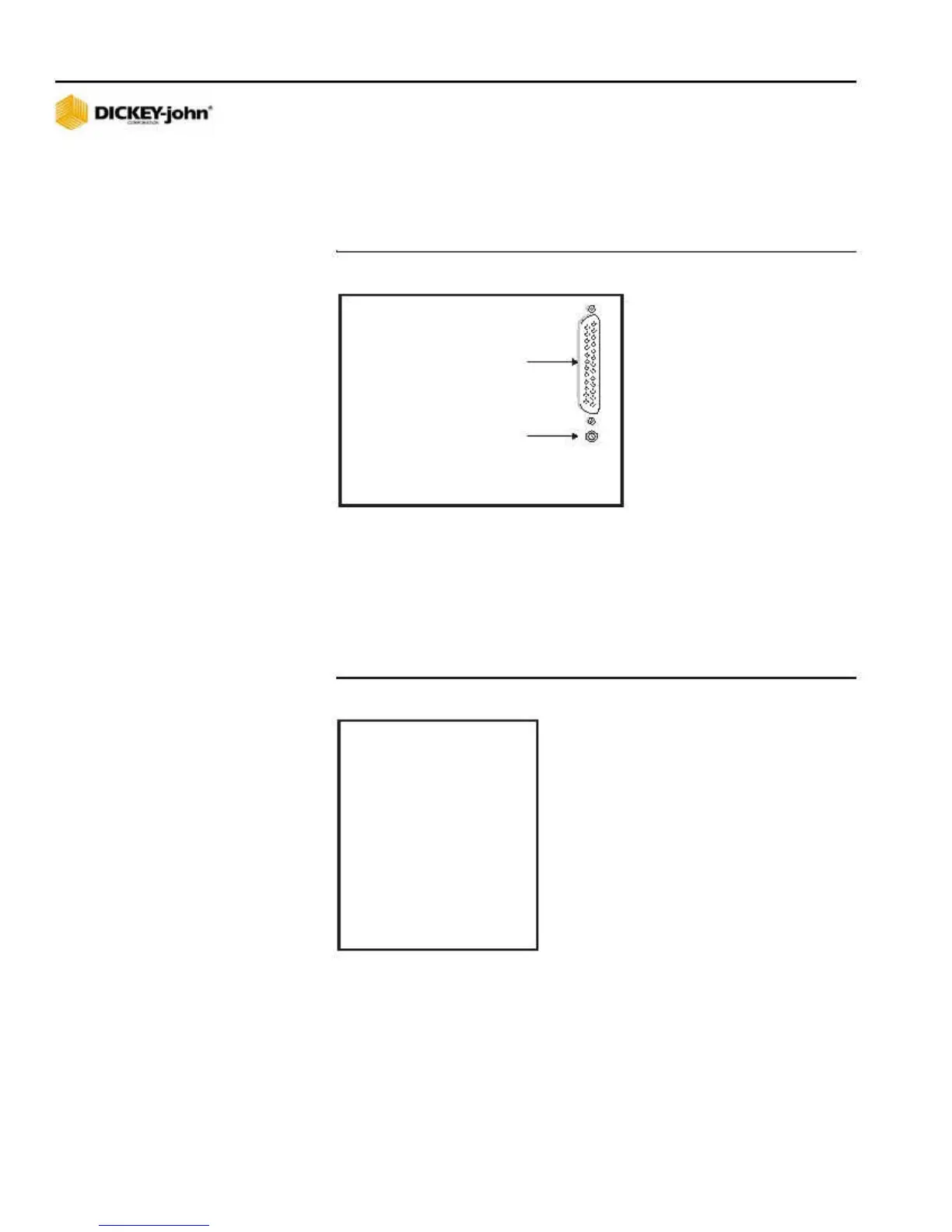
Figure 3
Power Connection
Serial Port
(Printer
connection)
Power Plug
(rear of GAC500XT)
PRINTING CAPABILITIES
The GAC500XT will print to a DICKEY-john Strip Printer PRTS (110v) and
PRTSI (220v) in a column format, as illustrated in Figure 4. The output from
the printer port (Figure 3) is in RS-232 serial format, 1200 baud, 8 data bits,
no parity, and 1 stop bit.
Figure 4
Example of GAC500XT Printout
D I C K E Y - J O H N CO R P.
G AC5 0 0 X T
S/ N:000003
L INE WHEAT
910 828
MOIS T. :
1 2 .5 %
T W:
61.5 LB/BU
T EMP.:
6 8 .3 F
= == = = ======= =======
6 INSTALLATION AND SETUP
GAC500XT
11001-1352-200510



 To Next Page