Page | 18
Setting Min/Max Alarms
• A Min and Max alarm threshold can be set for each logger channel.
• To set alarms, right click on a logger in the Logger tab table and select Edit.
• Click on the Alarm tab.
• Enter the Min and Max alarm threshold for each channel.
• An alarm delay can also be set (in minutes). The alarm delay should be at least as long as the
logger sample rate.
• Click on Save Changes and Start to save alarm settings.
Audible Alarms
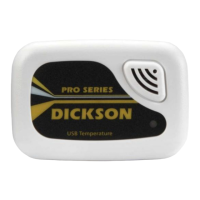
• Certain logger models feature audible alarms. The logger will sound an alarm when a Min/Max
threshold is met.
• To activate audible alarm, edit a logger. In the General Tab in the lower left select Yes next to
Audible Alarm On. Click on Save Changes and Start to save.
• If an alarm delay has been selected, the audible alarm will wait till the alarm delay period has
passed before sounding. If the readings move out of alarm range, the audible alarm will not
sound.
• The audible alarm will sound for 60 seconds followed by two short beeps every 5 minutes. The
audible alarm will stop sounding when readings move back into the acceptable operating
range.
Email/Text Alarms
• Go to the Email/Text alarm setup section of this manual for instructions.
• Enterprise or Secure version is required.
• When an Email/Text alarm is issued, another Email/Text alarm for that logger and condition
will not be issued again until that condition is cleared via the Clear Alarm button in the
software.


 To Next Page