16
PowerMic™ Microphones Installation Guide
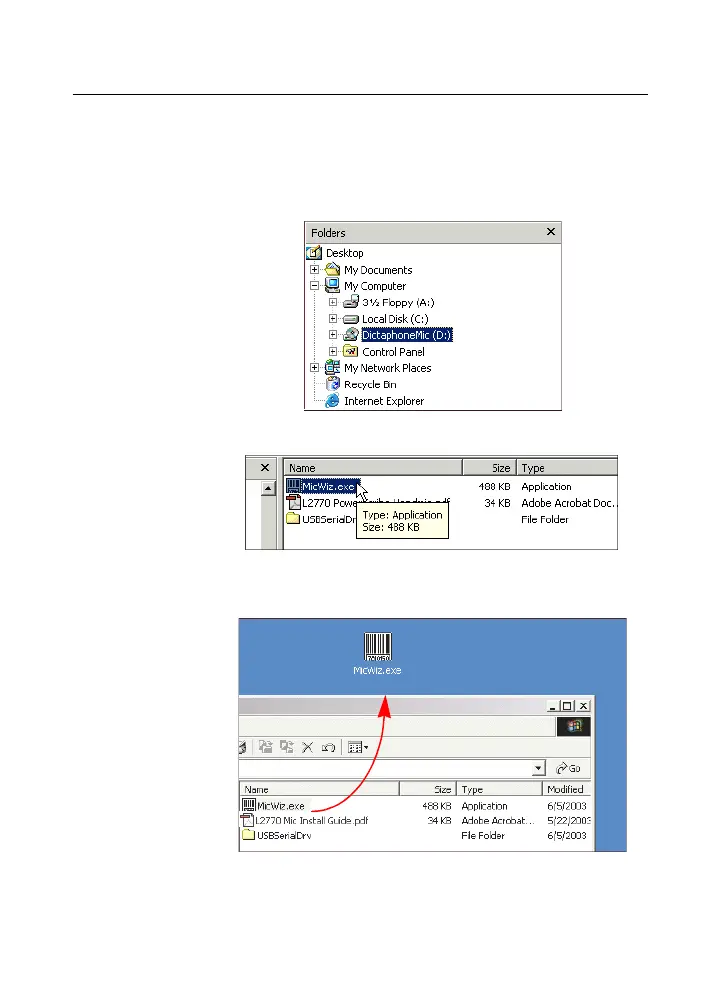
3. In the left pane, select the CD-ROM drive
(usually the D: drive) identified as
DictaphoneMic (D:).
4. In the right pane, select the MicWiz.exe file.
5. Drag the file to your Windows desktop. This
action installs the program.
6. Continue with Testing Your PowerMic with the
Microphone Wizard on page 19.



 To Next Page