19
Testing Your PowerMic with the Microphone Wizard
Testing Your PowerMic with the Microphone Wizard
To run the Microphone Wizard and test your
PowerMic microphone:
1. Double-click the MicWiz icon on your Windows
desktop, if you installed the application from the
USB Microphone Driver CD.
OR
Open Windows Explorer, select the MicWiz
folder, and double-click the MicWiz.exe file.
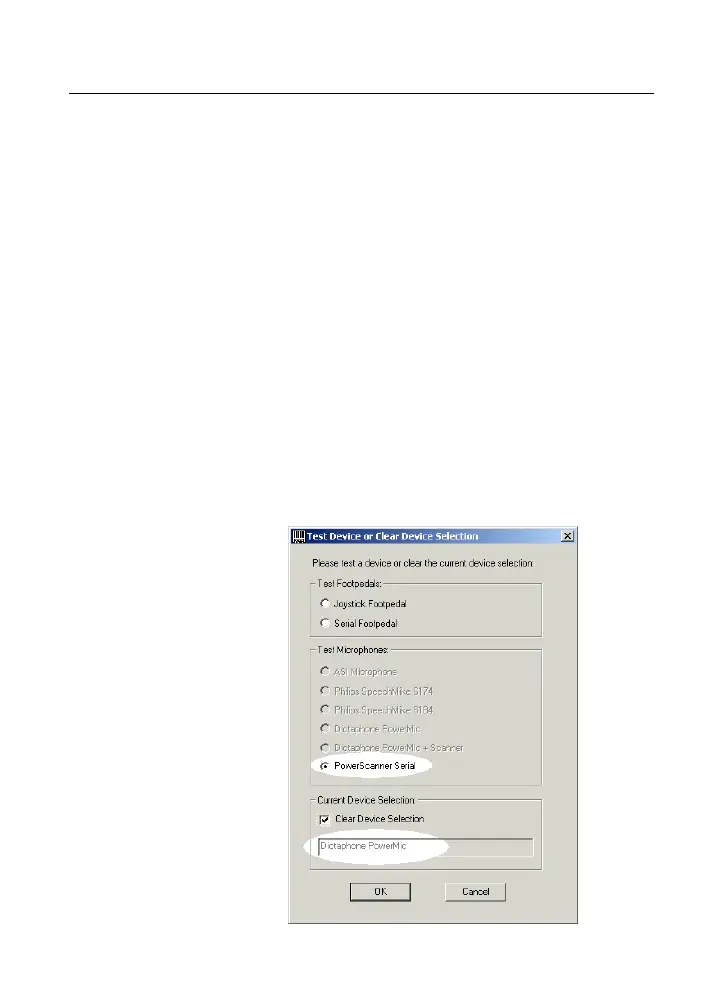
The Test Device or Clear Device Selection
dialog box opens. It displays the names of several
microphones. The microphone connected to your
PC in indicated in the Test Microphones group
box as the device to be tested.



 To Next Page