• 6 •
8. GROUNDING AND AC POWER CORD CONNECTIONS
8.1 This battery charger is for use on a
nominal 120 volt circuit and has a
grounded plug. The charger must
be grounded, to reduce the risk
of electric shock. The plug must
be plugged into an outlet that is
properly installed and grounded in
accordance with all local codes and
ordinances. The plug pins must t
the receptacle (outlet). Do not use
with an ungrounded system.
8.2 DANGER: Never alter the AC
cord or plug provided – if it does
not t the outlet, have a proper
grounded outlet installed by a
qualied electrician. An improper
connection can result in a risk of
an electric shock or electrocution.
NOTE: Pursuant to Canadian
Regulations, use of an adapter
plug is not allowed in Canada. Use
of an adapter plug in the United
States is not recommended and
should not be used.
8.3 USING AN EXTENSION CORD
The use of an extension cord is
not recommended. If you must use
an extension cord, follow these
guidelines:
• Pins on plug of extension cord
must be the same number, size,
and shape as those of plug on
charger.
• Ensure that the extension cord
is properly wired and in good
electrical condition.
• Wire size must be large enough
for the AC ampere rating of
charger, as specied:
Length of cord (feet) 25 50 100 150
AWG* size of cord 18 14 14 12
*AWG-American Wire Gauge
9. ASSEMBLY INSTRUCTIONS
9.1 Remove all cord wraps and uncoil the cables prior to using the battery charger.
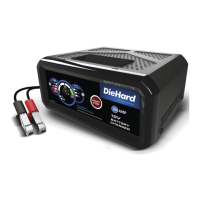
10. CONTROL PANEL
START/STOP BUTTON
Press to immediately begin
charging your properly connected
battery. If the button is not
pressed, charging should begin
in ten minutes.
LED INDICATORS
POWER (green) LED:
The charger is connected to an
AC outlet.
% LEDs: Act as a gauge to indicate
the following:
• Charging – The three leftmost
LEDs light, indicating the
percentage of the battery’s charge.
• Maintaining – The rightmost LED
will light, indicating the battery
is fully charged and is being
maintained.
• Boost – The three leftmost LEDs
light, indicating the percentage
of the battery’s charge. Boost is
not intended to fully charge the
battery.
• Engine Start – The four LEDs
light in sequence, indicating the
unit is ready for Engine Start.
• Engine Start cool-down – The
four LEDs turn off, and the Engine
Start LED will blink.
CLAMPS REVERSED (red) LED
ashing: The connections are
reversed.
BAD BATTERY (red) LED lit:
The charger has detected a
problem with the battery.
See Troubleshooting for more
information.


 To Next Page