EasyManua.ls Logo

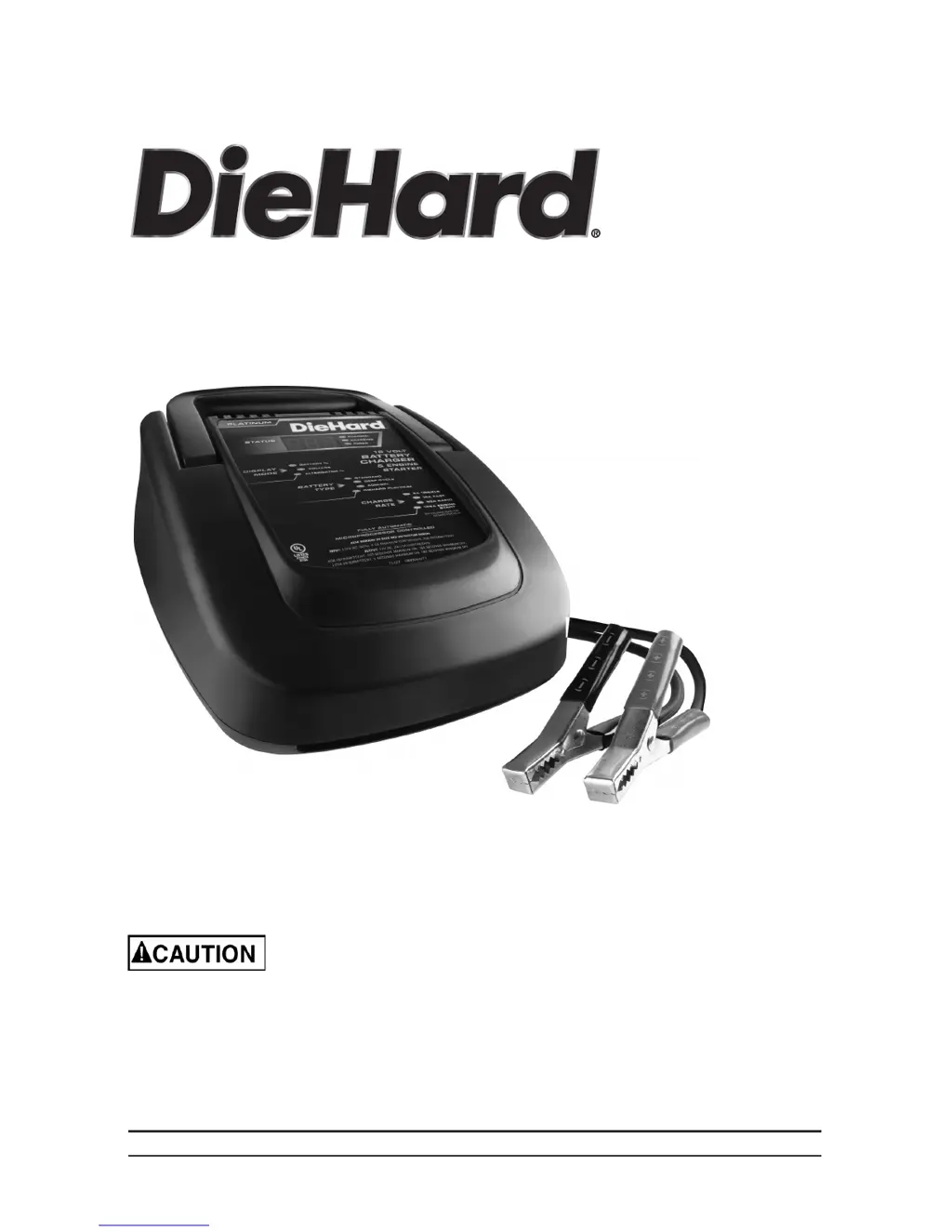
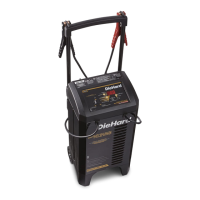
DieHard 28.71227 - User Manual

DieHard 28.71227
20 pages
Print Icon
To Next Page IconTo Next Page
Loading...
00-99-001011/0510
OPERATOR’S MANUAL
Model No.
28.71227
Read and follow all Safety
Rules and Operating Instructions
before Every Use of this Product.
SAVE THESE INSTRUCTIONS.
Sears Brands Management Corporation, Hoffman Estates, IL 60179 U.S.A.
12V Battery Charger
& Engine Starter

Questions and Answers

  • J
    Joseph NealJul 31, 2025
    Why DieHard 28.71227 is on but not charging?
    • T
      tammystoneJul 31, 2025
      If your DieHard Automobile Battery Charger is connected to the battery and turned on but not charging, it might be in tester mode instead of charge mode. To resolve this, press the CHARGE RATE button to activate the charge mode and select your desired charge rate.
  • N
    Nicolas BriggsAug 5, 2025
    Why DieHard Automobile Battery Charger will not turn on when properly connected?
    • J
      Jack MillerAug 5, 2025
      If your DieHard Automobile Battery Charger isn't turning on despite being properly connected, the issue might stem from a dead AC outlet or a poor electrical connection. Check the AC outlet for an open fuse or circuit breaker. Also, inspect the power cord and any extension cords for loose connections.
  • M
    Makayla CampbellAug 10, 2025
    What to do if CHECK BATTERY (red) LED is on on DieHard Automobile Battery Charger?
    • M
      Michelle MillerAug 10, 2025
      If the red CHECK BATTERY LED is illuminated on your DieHard Automobile Battery Charger, it indicates a potential issue with the battery connection or the battery itself. Ensure the clips are making a solid connection to the battery and frame, and that the connection points are clean. Try rocking the clips back and forth to improve the connection. If the connections are good, unplug the charger and reverse the clips. If the issue persists, the battery may be defective and should be checked.
  • J
    Jonathan TaylorAug 15, 2025
    Why is my DieHard 28.71227 making a clicking sound?
    • E
      Elizabeth HodgeAug 15, 2025
      If your DieHard Automobile Battery Charger is making a clicking sound, it could be due to several reasons: the circuit breaker cycling, a defective battery, or a severely discharged battery. First, verify that the charger settings are correct. If the settings are correct, have the battery checked. If the battery is severely discharged, allow charging to continue, giving the battery time to recover sufficiently to accept a charge. However, if the clicking continues for more than 20 minutes, stop charging and have the battery inspected.
  • J
    joshua77Aug 26, 2025
    How to fix no reading on DieHard Automobile Battery Charger digital display?
    • B
      Bryan AtkinsonAug 26, 2025
      If the digital display on your DieHard Automobile Battery Charger shows no reading, the charger may not be properly plugged in or there may be no power at the receptacle. Ensure the charger is plugged into a functioning AC outlet and check the fuse or circuit breaker supplying the outlet.
  • C
    Cynthia BryantNov 19, 2025
    What to do if DieHard 28.71227 Automobile Battery Charger has short or no start cycle when cranking engine?
    • E
      Elaine CarrNov 19, 2025
      If you experience a short or no start cycle when cranking the engine with your DieHard Automobile Battery Charger, several factors could be responsible. These include drawing more current than the engine start rate, failing to wait 3 minutes between cranks, poor clip connections, a loose AC cord or extension cord, no power at the receptacle, an overheated charger, or a severely discharged battery. * Crank time varies with current draw; if it exceeds the engine start rate, crank time may be less than 5 seconds. * Ensure you wait 3 minutes between crank attempts. * Check for secure connections at the battery and frame, as well as the power and extension cords. * Verify power at the receptacle and ensure the charger vents are not blocked. For a severely discharged battery, conside...

Summary

Important Safety Instructions

Personal Precautions

Preparing to Charge

Charger Location

DC Connection Precautions

Follow These Steps When Battery Is Installed in Vehicle

Follow These Steps When Battery Is Outside Vehicle

Grounding and AC Power Cord Connections

Assembly Instructions

Features;Control Panel

Digital Display

Provides a digital indication of voltage, charge percentage, or alternator output.

Display Mode Button

Button used to set the function of the digital display to Battery %, Voltage, or Alternator %.

Battery Type Button

Button used to select the battery type for charging (Standard, Deep-Cycle, AGM/GEL, DieHard Platinum).

Charge Rate Button

Button used to set the maximum charge rate (2A, 15A, 40A, or 125A Engine Start).

Operating Instructions

Thermal Runaway

Charger automatically reduces current if the battery temperature becomes too high.

Charging

Steps to ensure proper setup and connection before initiating the charging process.

Battery Connection Indicator

Indicates if the battery is not properly connected, preventing charging from starting.

Automatic Charging Mode

Charger switches to Maintain Mode automatically after the battery is charged.

Aborted Charge

Describes the condition where charging cannot be completed normally, indicated by a blinking CHECK LED.

Desulfation Mode

Special mode for batteries that have become sulfated, attempting to restore normal charge acceptance.

Completion of Charge

Indicates charge completion with the CHARGED (green) LED and switching to Maintain Mode.

Maintain Mode (Float-Mode Monitoring)

Keeps the battery fully charged by delivering a small current as needed.

Using the Engine Start feature

Instructions for using the charger to jumpstart a vehicle with a weak or run-down battery.

Engine Starting Notes

Details the charger's states during the engine starting sequence: Wait, Cranking, and Cool Down.

Using the Battery Voltage Tester

Instructions for using the built-in voltmeter to test the battery's state of charge.

Tester and Charger

Distinguishes between the charger's tester mode and its charging mode.

Using the Alternator Performance Tester

Instructions for using the built-in alternator tester to estimate the vehicle's charging system output.

Calculating Charge Time

General Charging Notes

Notes regarding the charger's cooling fan operation and restarting the charging process.

Maintenance Instructions

Moving and Storage Instructions

Troubleshooting and Failure Codes

Before Returning for Repairs

DieHard 28.71227 Specifications

General IconGeneral
BrandDieHard
Model28.71227
CategoryAutomobile Battery Charger
LanguageEnglish

Related product manuals