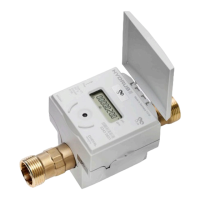
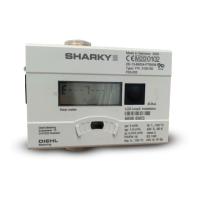
An optical pushbutton (see item 12) is positioned on the front panel of the
HYDRUS. By using the pushbutton the individual display loops are shown.
To save battery life, the display turns o if no control actions are taken for
4 minutes. By pressing the optical pushbutton the display becomes active
again and the current status appears in the display for about 2 seconds.
If there is a fault, an error message appears, E -- 7 -- A (air in the pipe),
for example.
Factory setting for the operating mode of the optical pushbut-
ton (short button press):
Error message
Total volume
Current ow
Temperature
High resolution reading
Software
Display test
The loop settings can be customized using the IZAR@MOBILE2
software.
Download the software from the Internet at https://www2.diehl.
com/metering/en/diehl-metering/support-center/downloads.
-11-
HYDRUS
English



 To Next Page