M o d e l S M - 5 3 0 0 U s e r M a n u a l | 16
––––––––––––––––––––––––––––––––––––
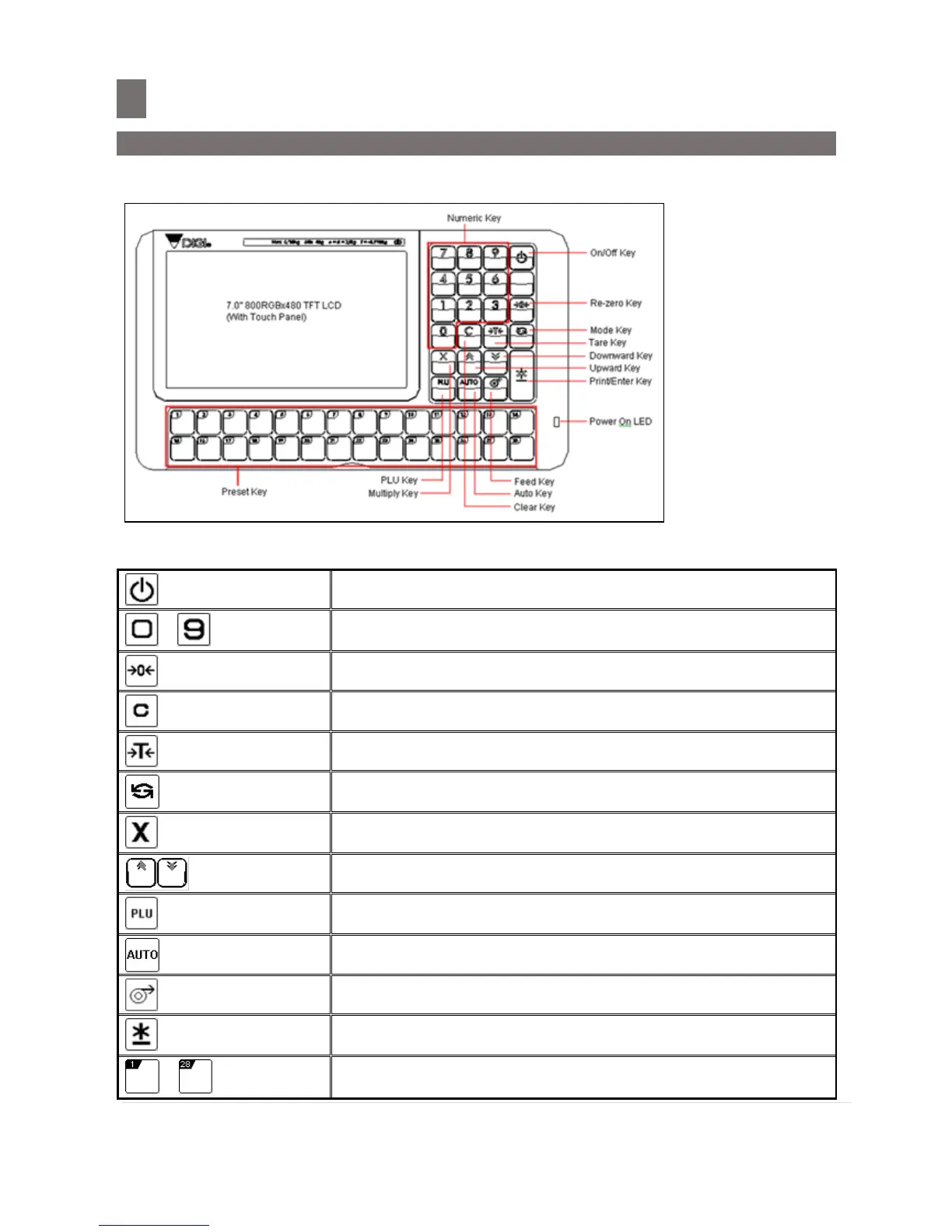
1.3.6 Keys & Key Function
Panel Key
*Actual legends and symbols may differ depending on local regulations and requirements.
Key Function
Turn on/off the display.
Reset the weight to "0".
CLEAR key is used for clearing entered data.
Set/Clear the tare value.
Mode key is used for some special operations together with
other keys
Multiply the number of non-weighing product.
Used as escape key in Programming mode.
PLU key is used for calling up a PLU in Registration mode.
Used as entered key in Programming mode.
Switch mode status, Manual Mode or Pre-pack Mode.
Used for feeding label or receipt.
PRINT key is used for printing label / receipt in Registration
mode.
Call up Preset data such as PLU Data.
Call up Preset Function Key.



 To Next Page
 Loading...







