M o d e l S M - 5 3 0 0 U s e r M a n u a l | 42
–––––––––––––––––––––––––––––––––––––––
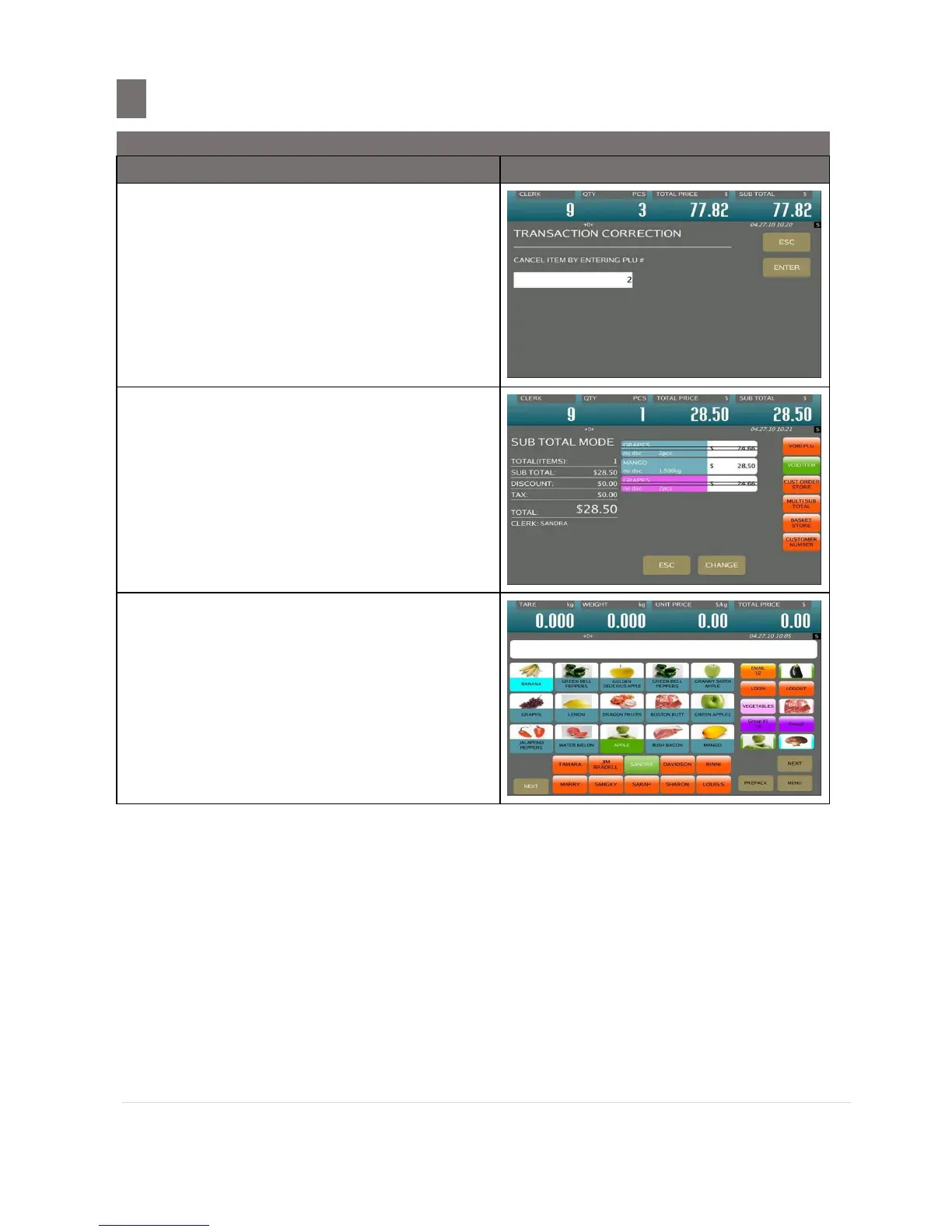
Then touch [VOID PLU] key to entry
Transaction Correction Mode
Enter the PLU number of GRAPES by
numeric keypad. (e.g. 2) and Touch
[ENTER] key
Note: [ESC] key used to abort the transaction
All the transaction data of PLU2 (GRAPES)
will be canceling.
Press [PRINT] key to issue a Receipt or
Total Label and then remove product from
platter.
Note: After printing of Total Label or Receipt,
display will return to Registration Mode.


 To Next Page
 Loading...








