M o d e l S M - 5 3 0 0 U s e r M a n u a l | 62
–––––––––––––––––––––––––––––––––––––––––––––––––
3.2.2 Dept Report
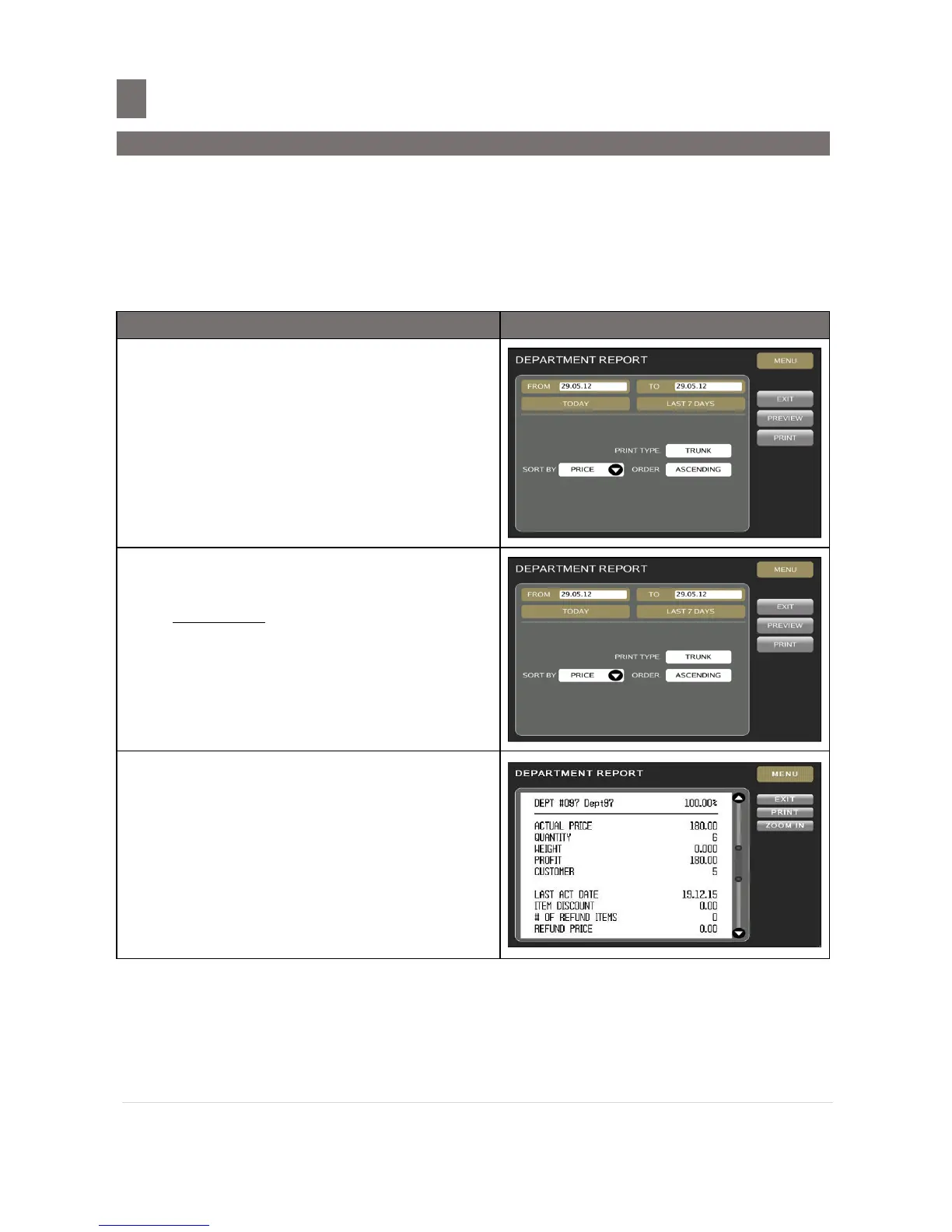
Department Total Report is used to view/print transaction data separated by Department number.
On Department Total Report, Sales transaction report is printed depending on the date range
selection.
Example:
Printing report for Department Total Report (TODAY).
In REPORT GENERATOR screen.
Touch [DEPT REPORT] key to enter to
DEPT REPORT MODE screen.
Set the printing order by touching the boxes
and select the desired data
For example:
- DATE RANGE: 29-04-10 to 29-04-10
Note: Also can select by pressing
[TODAY] or [LAST 7 DAYS]
button
- PRINT TYPE: TRUNK
- SORT BY: PRICE
- ORDER: ASSCENDING
Touch [PREVIEW] key to view the report.
Note:
1. Touch [UP] or [DOWN] key, to view
continues of report.
2. Touch [EXIT] key to exit view PLU Total
Report.
3. Touch [ZOOM IN] or [ZOOM OUT]
key to zoom in or zoom out preview
report.



 To Next Page
 Loading...







