3.1.2. Revise IP Address
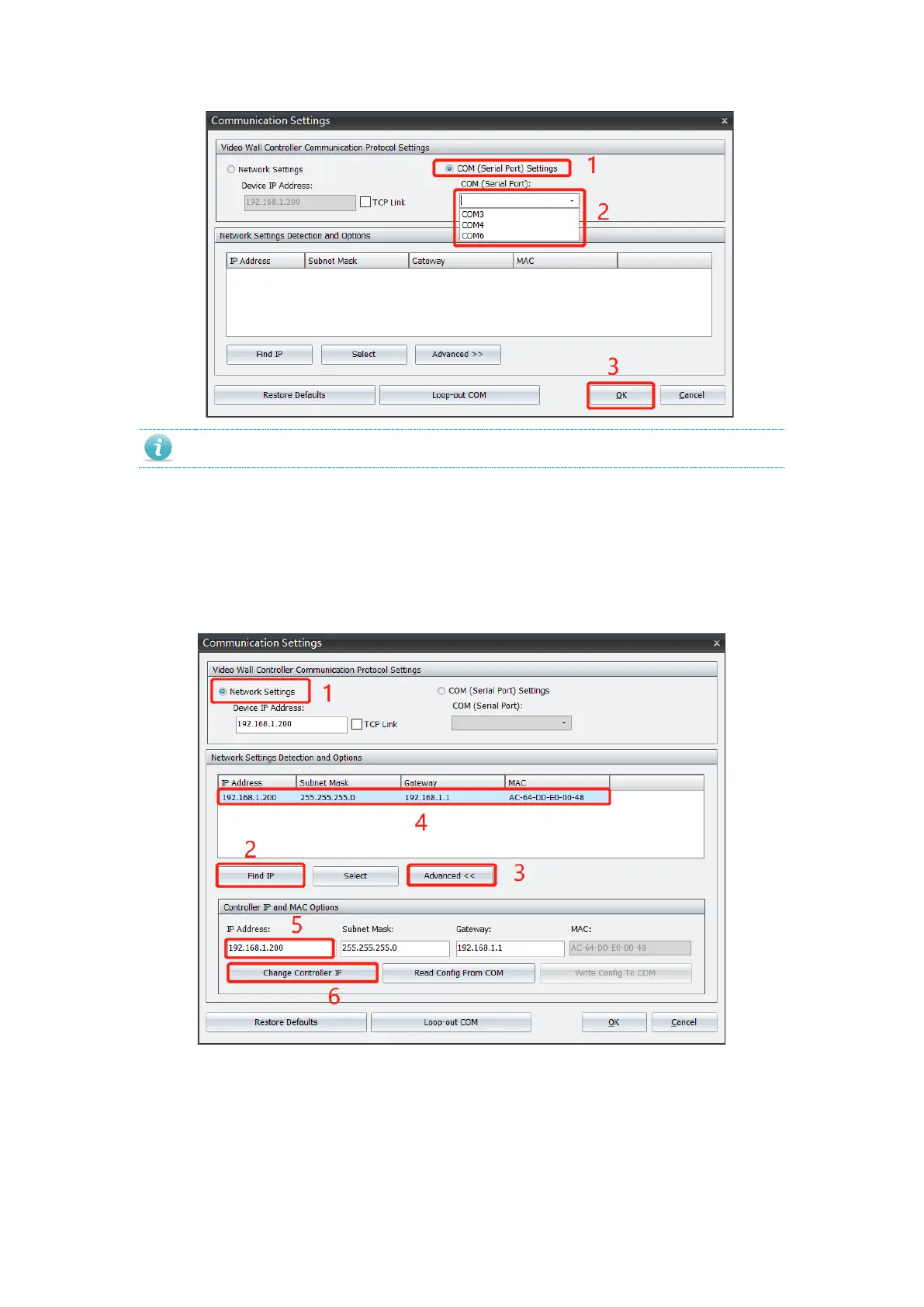
3.1.2.1. LAN Communication
1. Select Network Setting, click Find IP to view all controllers within the LAN.
2. Select target controller and click Advanced.
3. Input new IP address and click Revise
3.1.2.2. Serial Port Communication
1. Connect controller to your control PC via serial cable.
2. Select available port from drop down list.
3. Click Advanced and select Read Config From COM obtain controller IP address.
4. Input new IP address, and click Revise Config via Serial Port to complete.


 To Next Page