System Management
27
4. System Management
4.1. Preview Setting
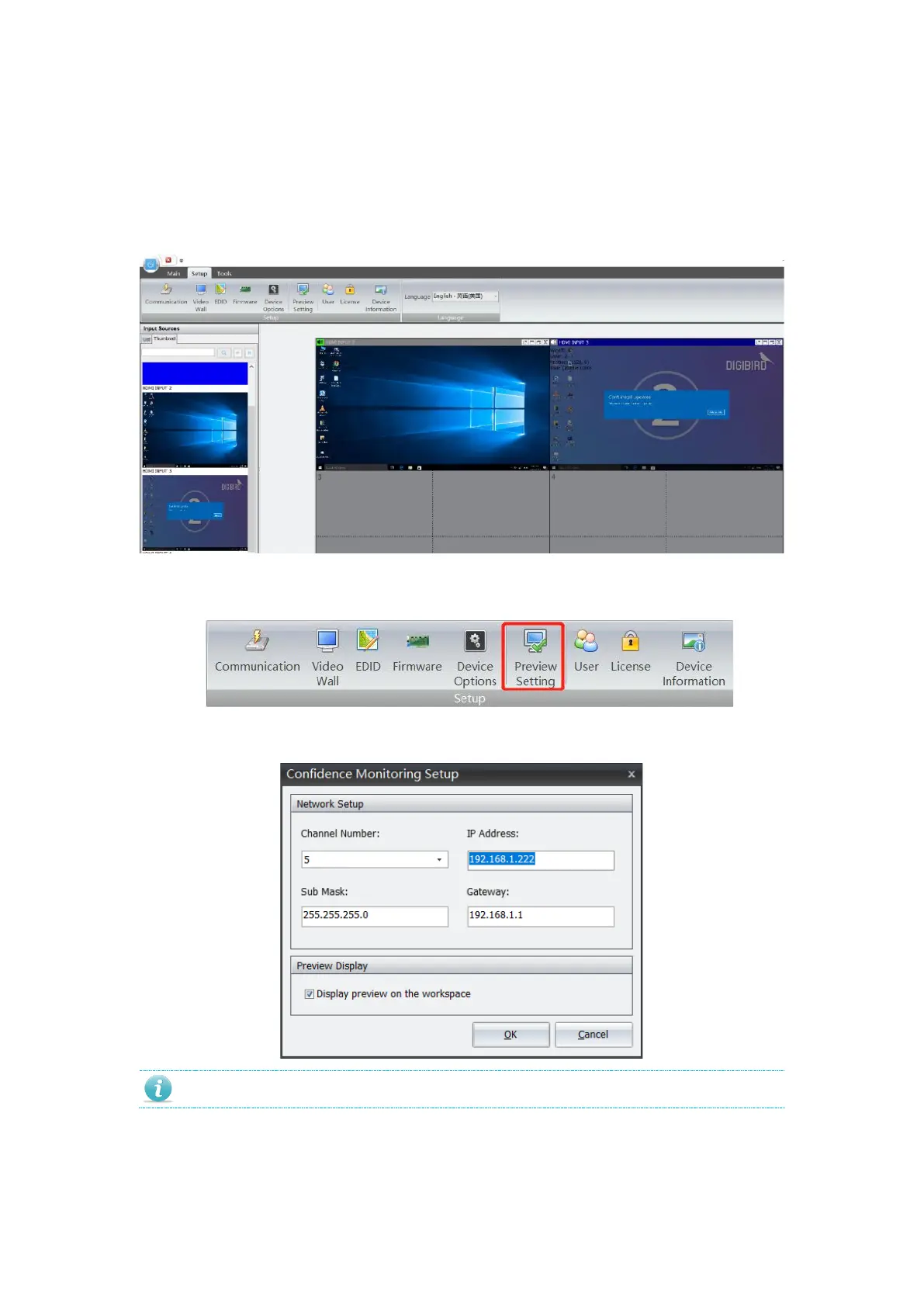
For the model that supports preview, use can live preview input source content and video wall
display.
Default IP of preview card is 192.168.1.201. Follow below steps to revise IP address.
1. Navigate to Setting, and click Preview to enter into setting page.
Enter desired IP address, subnet mask and gateway. Trigger “Display preview image
on video wall”, you can preview input source and video wall display at software.


 To Next Page