Operation
10
• To change mapping relationship between output channel and screen, you need to select
target screen and double click target output channel.
Apply Auto Pair to pair unconfigured channel to available screen.
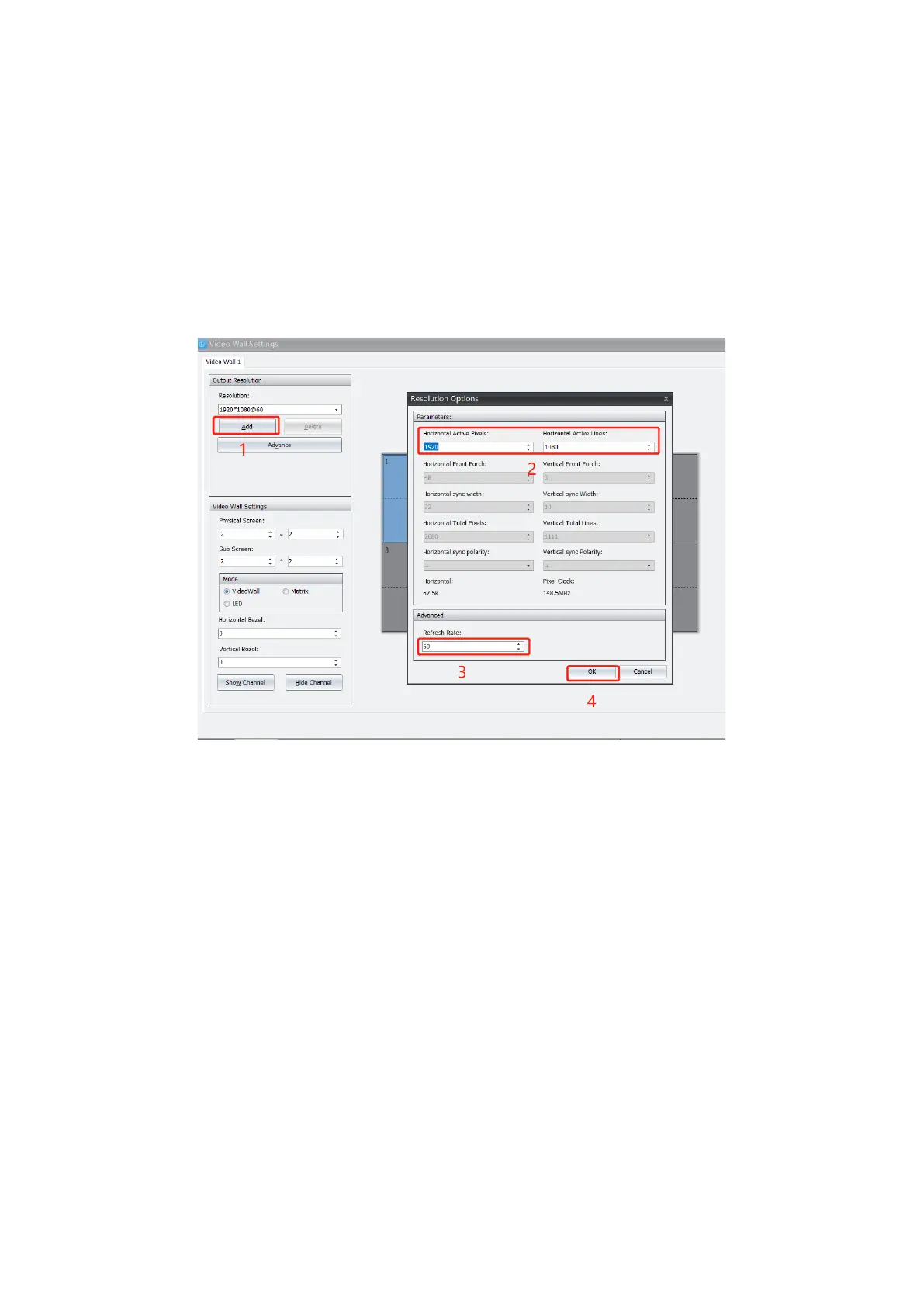
3.2.3. Customized Resolution
If offered resolution in library can not meet demand, user can customize resolution upon demand.
3.2.3.1. Add Resolution
Click Add and input required parameters at Resolution Options. Confirm to complete.
3.2.3.2. Revise Resolution
Click Advanced and input required information to revise current resolution at popped out window.


 To Next Page