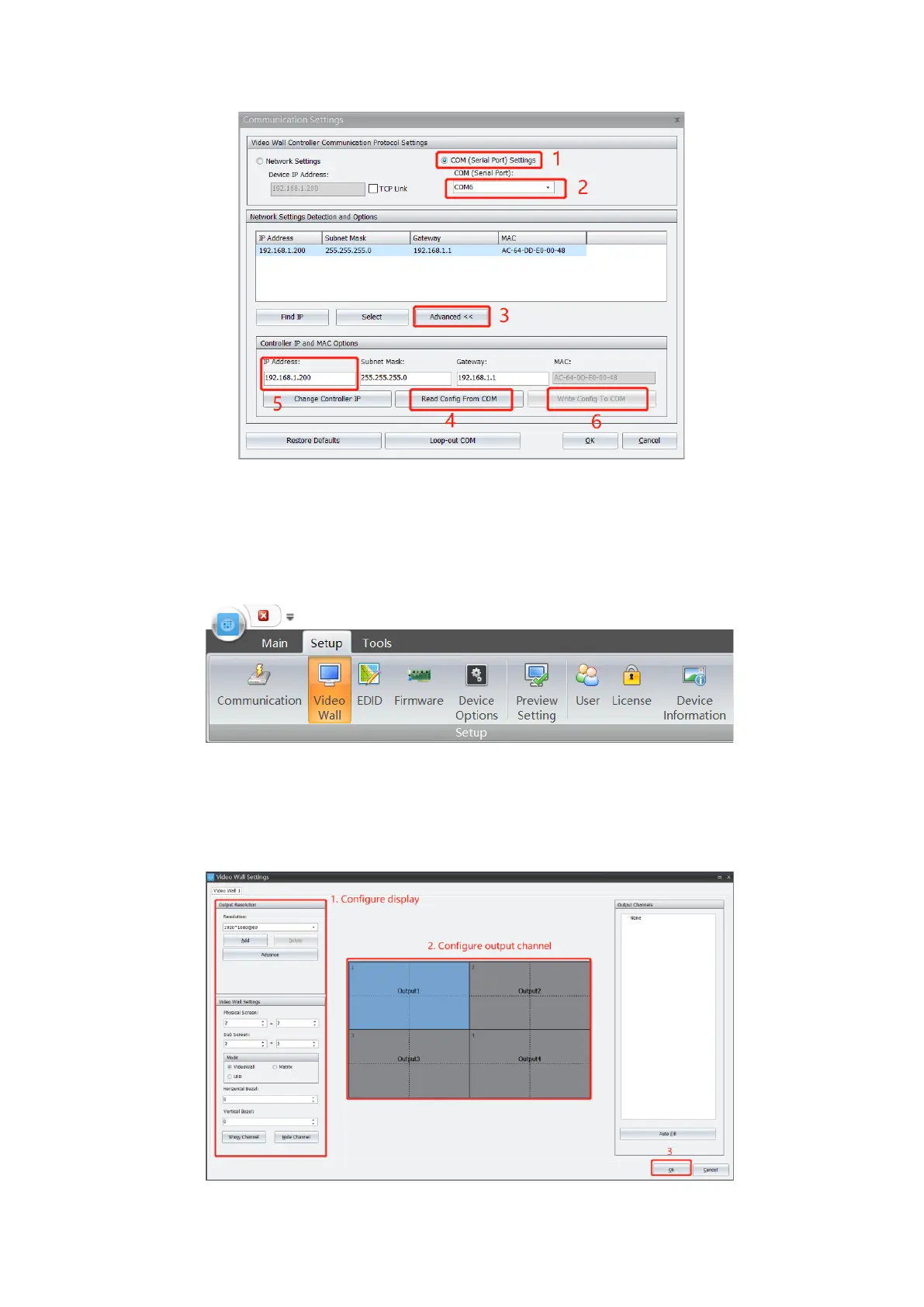
Operation
8
3.2. Video Wall Configuration
3.2.1. Create New Video Wall
Connect controller to video wall correctly via video cable.
1. Navigate to Setup and Click Video Wall.
1. Configure video wall parameters at Video Wall Configuration. Refer 3.3.3 Parameter
for more details.
2. Allocate output channel to corresponding screen. Refer 3.2.3 Output Channel Setting
for more details.
3. Click Confirm to complete setting.


 To Next Page