Operation
21
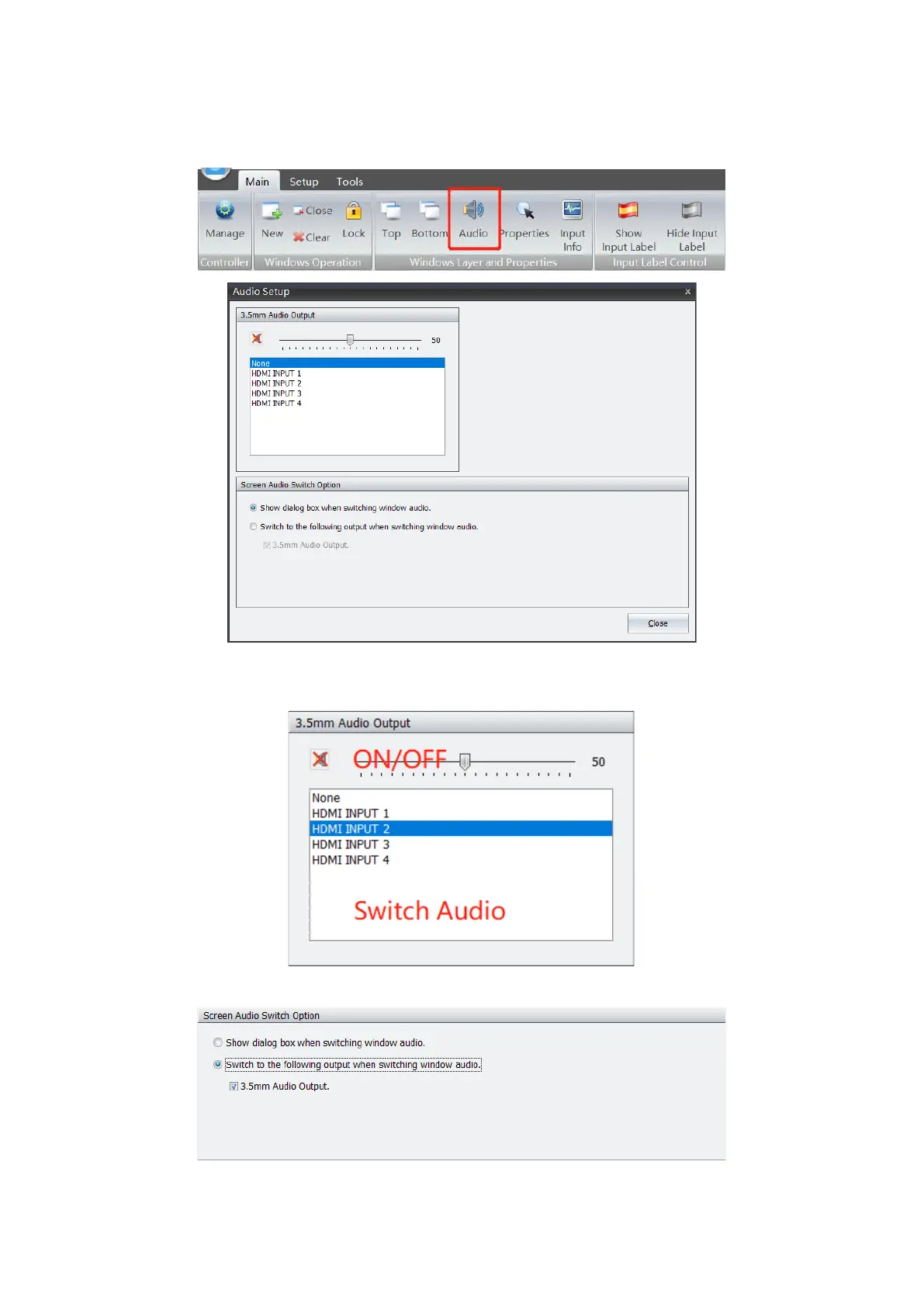
System supports turn on/off audio, volume adjustment and audio output model setting.
Navigate to Main Menu, and click Audio to enter into setting page.
Click output channel to switch audio output via 3.5mm mini-jack. Volume can be adjusted by
dragging audio bar.
There are 2x options for audio output, including 3.5mm mini-jack and embedded HDMI output.
You can click audio button on widows to manage audio.


 To Next Page