TN372 Page 3
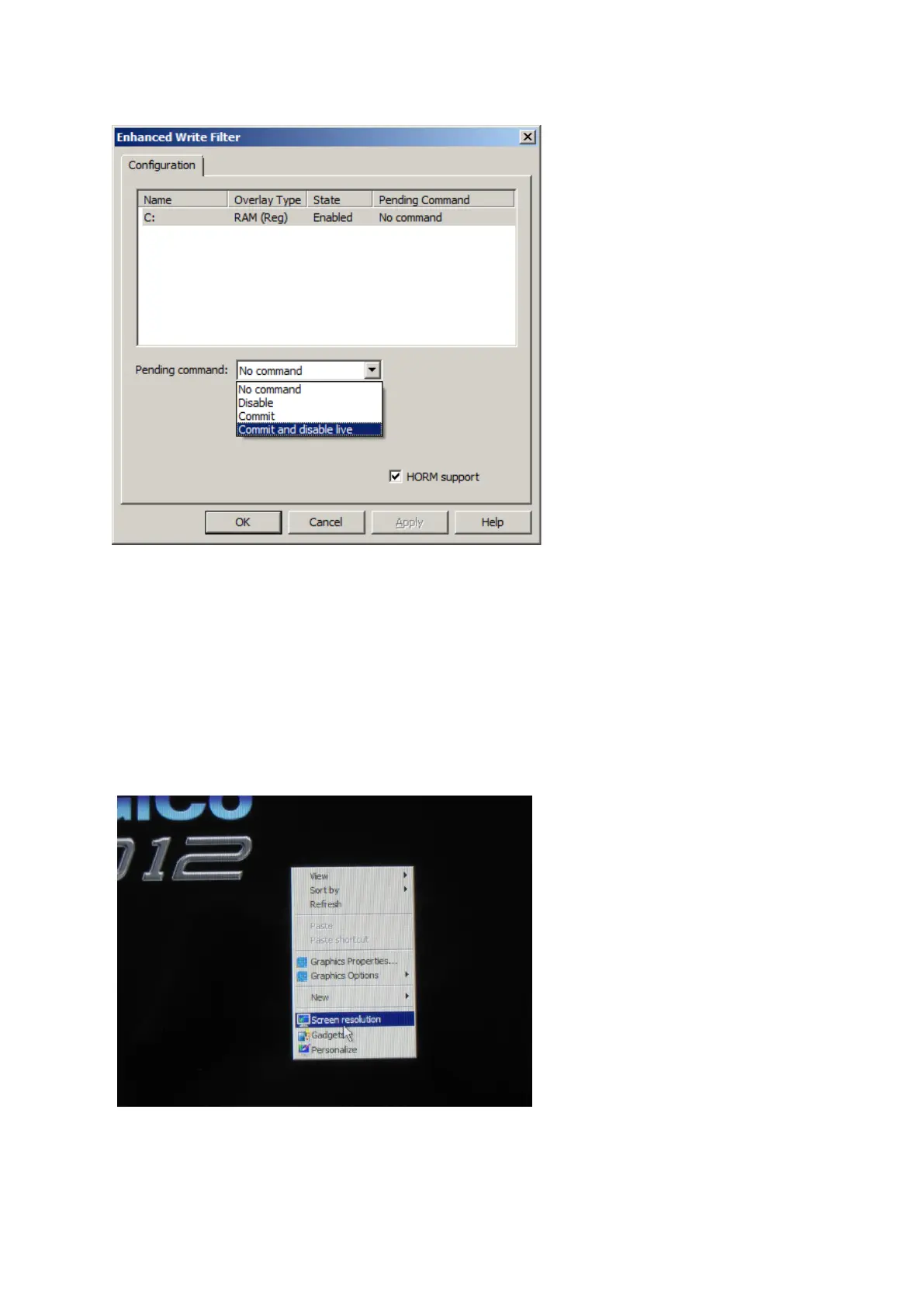
In order to disable protection in a mixer with protection on (the normal mode):
Click on the C: drive to highlight this
Click on the “pending command” drop down box
Select “commit and disable live” as above
Click on Apply
Click on OK
On the remaining Window click close.
Protection is now disabled and adjustments in the operating system can be made.
Make adjustments to the screens setup as follows.
Right click on the desktop.
Click on screen resolution



 To Next Page