Need help?
Do you have a question about the Digicom Tippy Pad and is the answer not in the manual?
Describes Tippy-Fi as a car keychain accessory for detecting vehicle departure with a baby on board.
Provides safety instructions regarding packaging, product damage, heat sources, and power terminals.
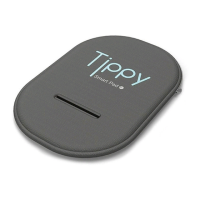
Lists the items included in the product packaging: Tippy Pad and User Manual.
Details compatibility, communication technology, frequency band, power, and operating temperature.
Declares conformity with EU directive 2014/53/UE and notes it's a Class 1 product for all EU countries.
Declares compliance with Ministerial Decree no. 122 of 02/10/2019 for the anti-surrender device.
Confirms safety of Bluetooth technology by detailing SAR tests performed at Sicom Testing laboratory.
Guarantees against conformity defects under normal use; excludes damages from improper use or accidents.
Instructions for installing the Tippy Pad on a car seat by passing the seatbelt's leg spreader anchorage.
Provides guidance for installing the Tippy Pad on car seats lacking a leg rest anchorage, using adhesive Velcro.
Explains how to install the Tippy Pad by placing it on top of the gearbox or seat reducer for secure fitting.
Details how to download the 'Tippy' mobile application via QR code or by searching on App Store/Google Play.
Explains the sign-up process, including providing information or using Facebook/Google accounts for registration.
Guides on pairing the Tippy Pad with a smartphone via Bluetooth, including serial number scanning and app setup.
Explains how to view battery level in the app and what to do when the battery is low, requiring product replacement.
Details how to access application settings for notification sound, terms, and help tutorials.


 To Next Page
 General