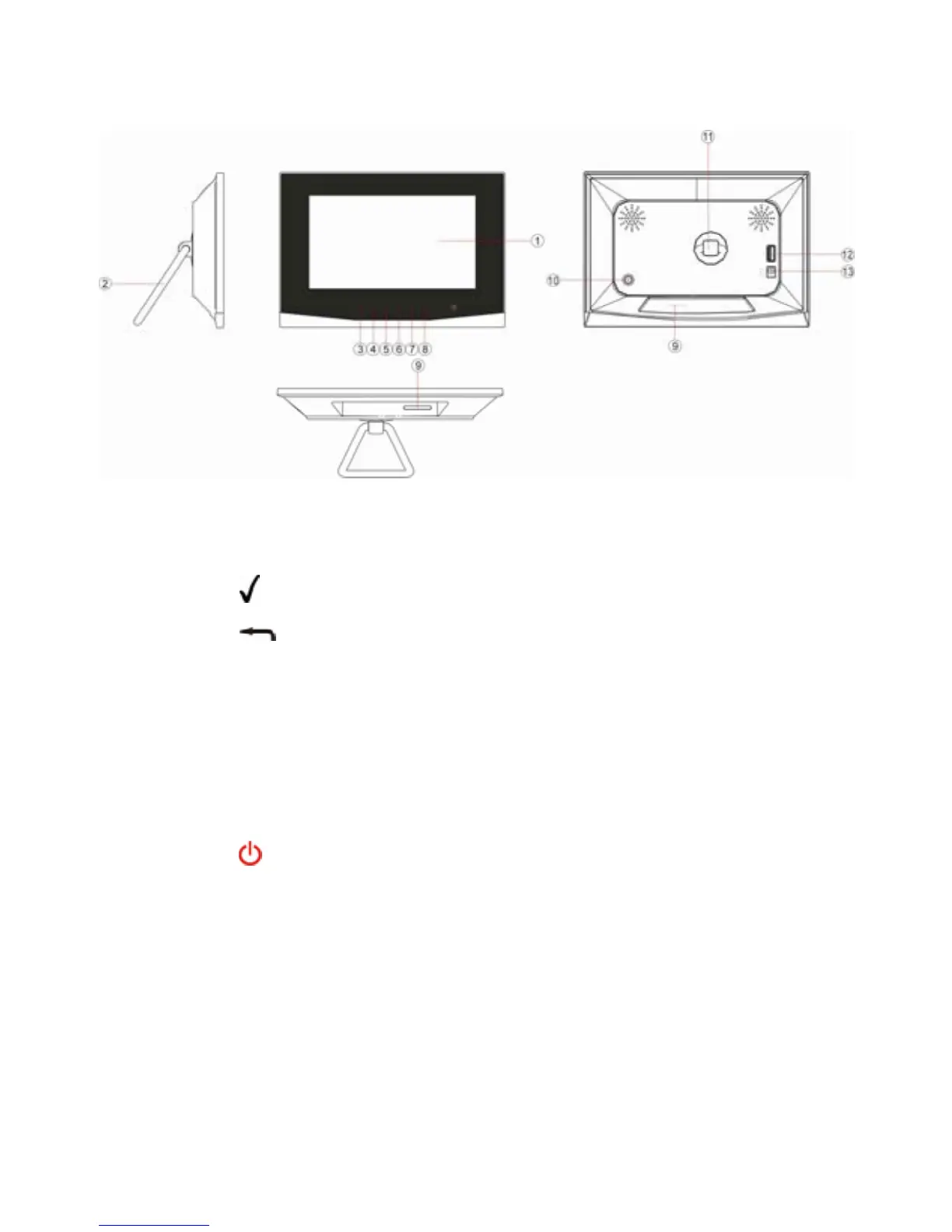
4 Buttons & Ports
1 LCD Display
2 Stand
3 – Confirm selection
4 – Return
5 Left/Previous – Move the cursor left.
6 Right/Next –Move the cursor right
7 Up – Move the cursor up
8 Down – Move the cursor down
9 Memory Card Slot – SD / MMS / MS
10
– Turn on or turn off the screen
11 Stand Bracket
12 USB port – Connect to a USB flash drive
13 DC IN port – Connect to the AC adaptor
- 3 -


 To Next Page