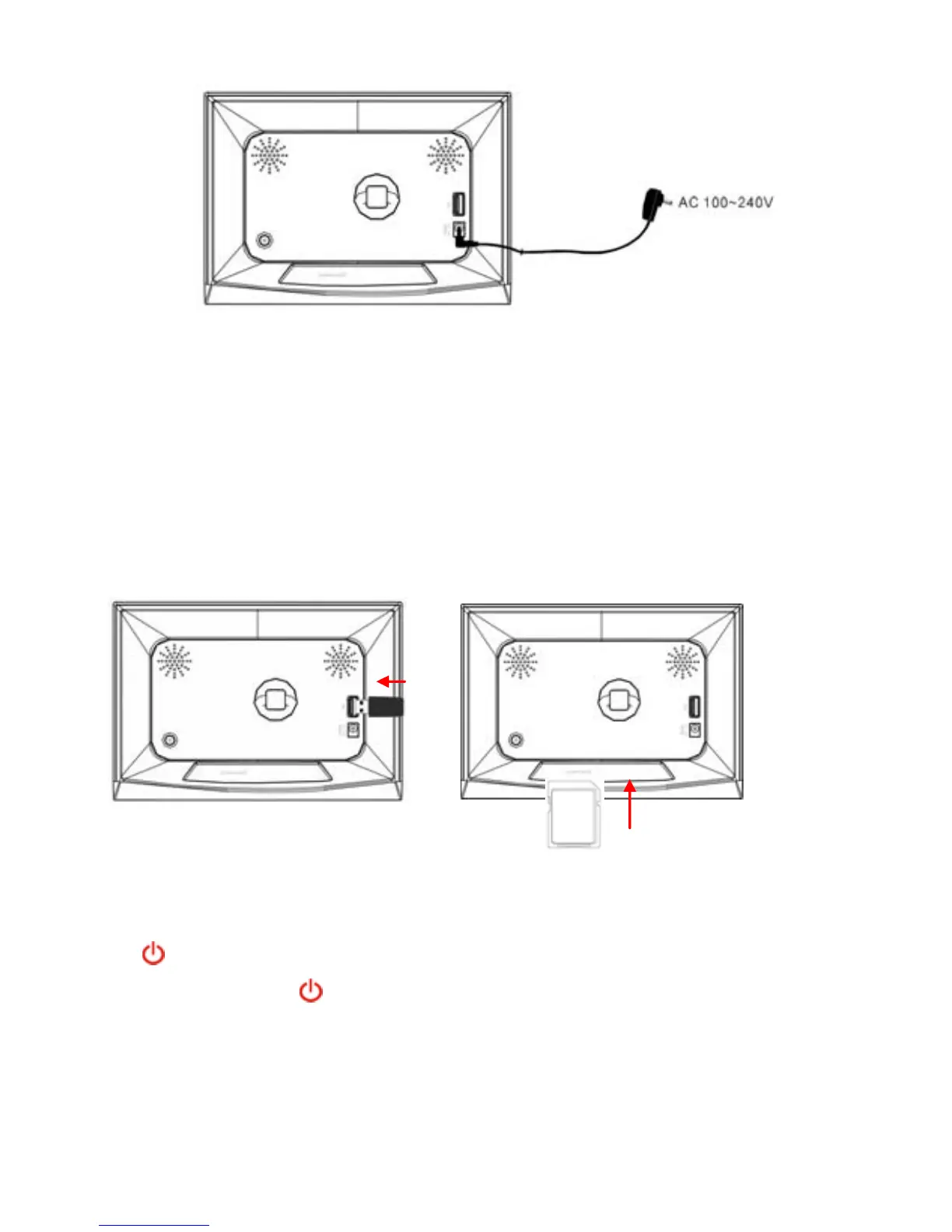
z Inserting a memory card/USB flash drive
The device provides a card slot to support SD/MMC/MS memory
cards and a USB port for USB flash drives. Please follow these steps
to insert a memory card or USB flash drive:
(1) Find the card slot or USB port on the body of the machine.
(2) Insert a memory card into the slot with the face toward the back,
or insert a USB flash drive into the USB port.
7 Turn on or off the screen
When you do not want to view the photos momentarily, you can press
the
button to turn off the screen for saving power. To turn on the
screen, press the
button again.
- 5 -


 To Next Page