a. The max size of “T10_PLAYLOG.TXT” is 100MB, if the file is larger
than 100MB, “T10_PLAYLOG.TXT” will be deleted and it will record
again. You can delete the log file or export it to USB.
b. Export play log file: Make a file named “T10_EXPORT_PLAYLOG.TXT”
on your USB, then connect the USB to the machine, choose “export
play log” in the menu. It will copy the play log file
“T10_PLAYLOG.TXT” to USB, so you can then read it on a PC.
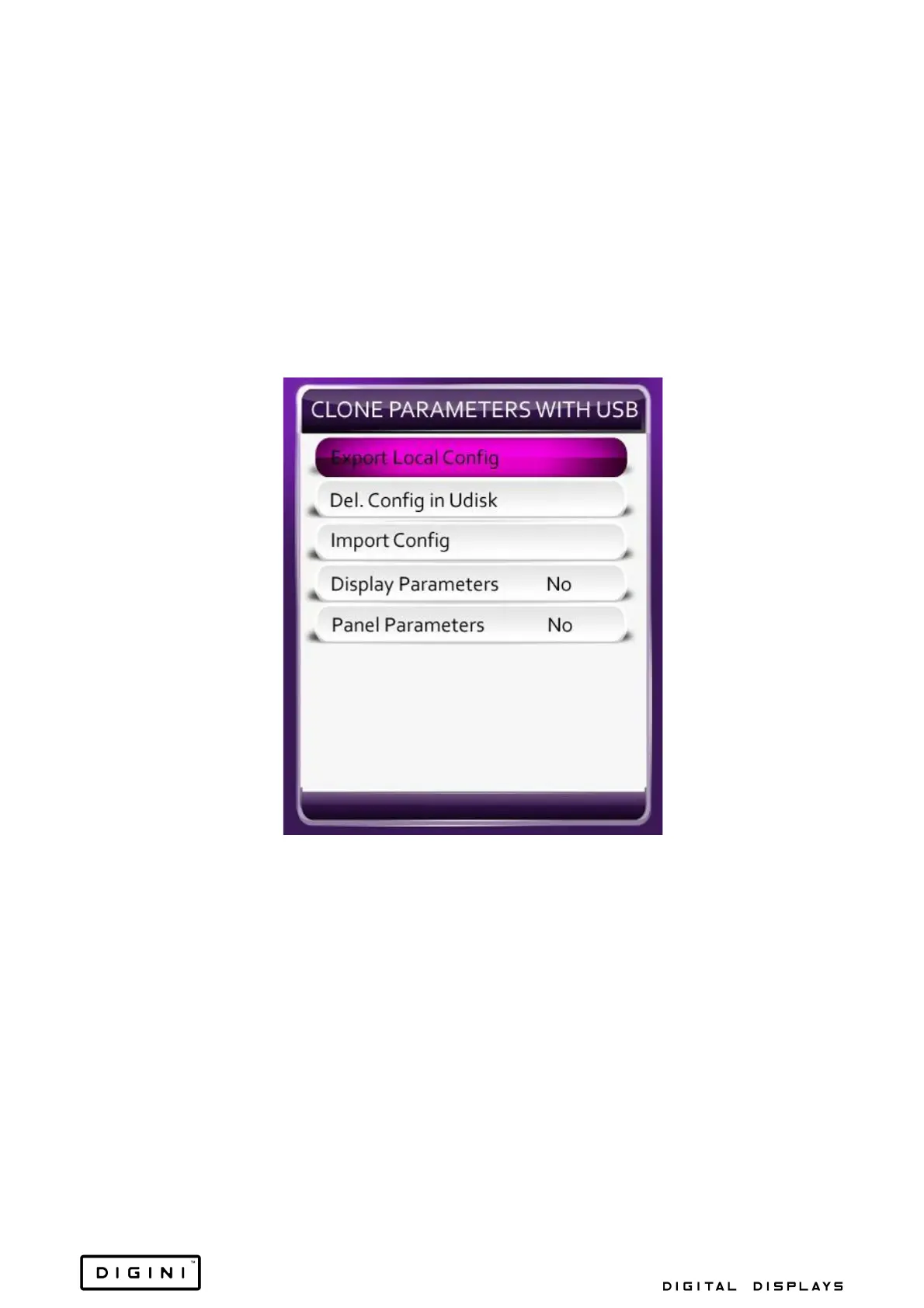
Clone Parameters With USB
1. Export Local Config: Set local system configuration to the file named
“T10_usb_setting.txt”, and copy it to the USB.
2. Del. Config in Udisk: Delete “T10_usb_setting.txt” from the
USB.
3. Import Config: Set the configuration of “T10_usb_setting.txt” on the
USB to the local system.
4. Display Parameters: Include brightness, contrast, saturation, sharpness
and colour temp settings to T10_usb_setting.txt.
5. Panel Parameters: Include panel parameters to T10_usb_setting.txt.


 To Next Page